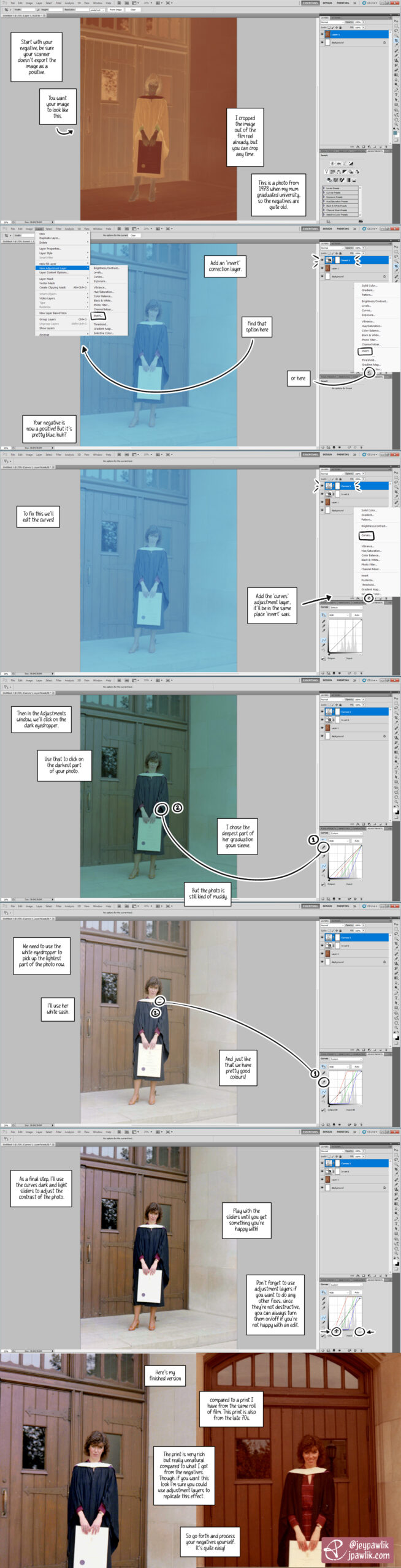
I got back into film around two years ago and I’m still learning a lot. One of the things I really wanted to do was scan my own negatives. This gives me more control over my images and it’s cheaper in the long run.
So I ended up making this tutorial for myself a while back to help me remember the steps of the process. In this tutorial I used an old photo of my mum from the 70s at her university graduation. It was a good negative to test because: at the time I was waiting for my lab to finish developing my first roll of my own film, I wanted to try processing a negative to make sure I could do it myself (and if I couldn’t, I’d ask my lab to continue doing it for me), I have prints from these negatives that I can compare with.
I’m using Photoshop CS5 for this tutorial.
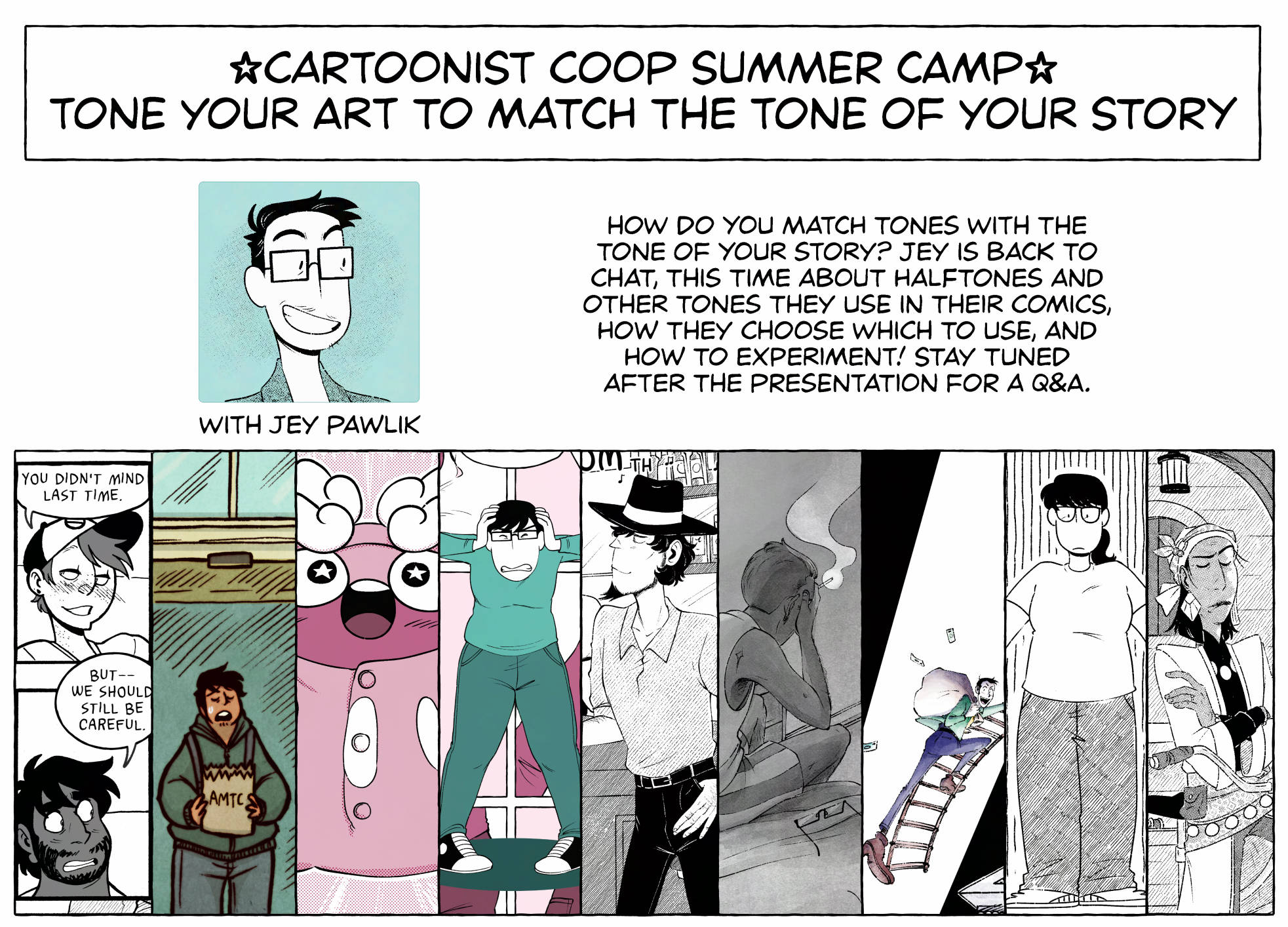
Hey folks, here’s another talk turned blog post for you all on this fine Friday. In July I did a talk for the Cartoonist Coop’s Summer Camp and thought I’d bring that to y’all in written form!
If you want to watch the talk, you can find that right here.
This was actually a requested talk, so thank you to anon who requested the coop staff to ask me to do this talk.
I’ve been working in comics for a while. My comics list keeps growing and I keep trying new things with every one I work on. I’m currently in the process of working on some new comics so this is the perfect time for me to chat about:
Toning your art to match the tone of your story!
What do I mean by toning? Well when I say “toning”, it refers to how you fill in your lineart.
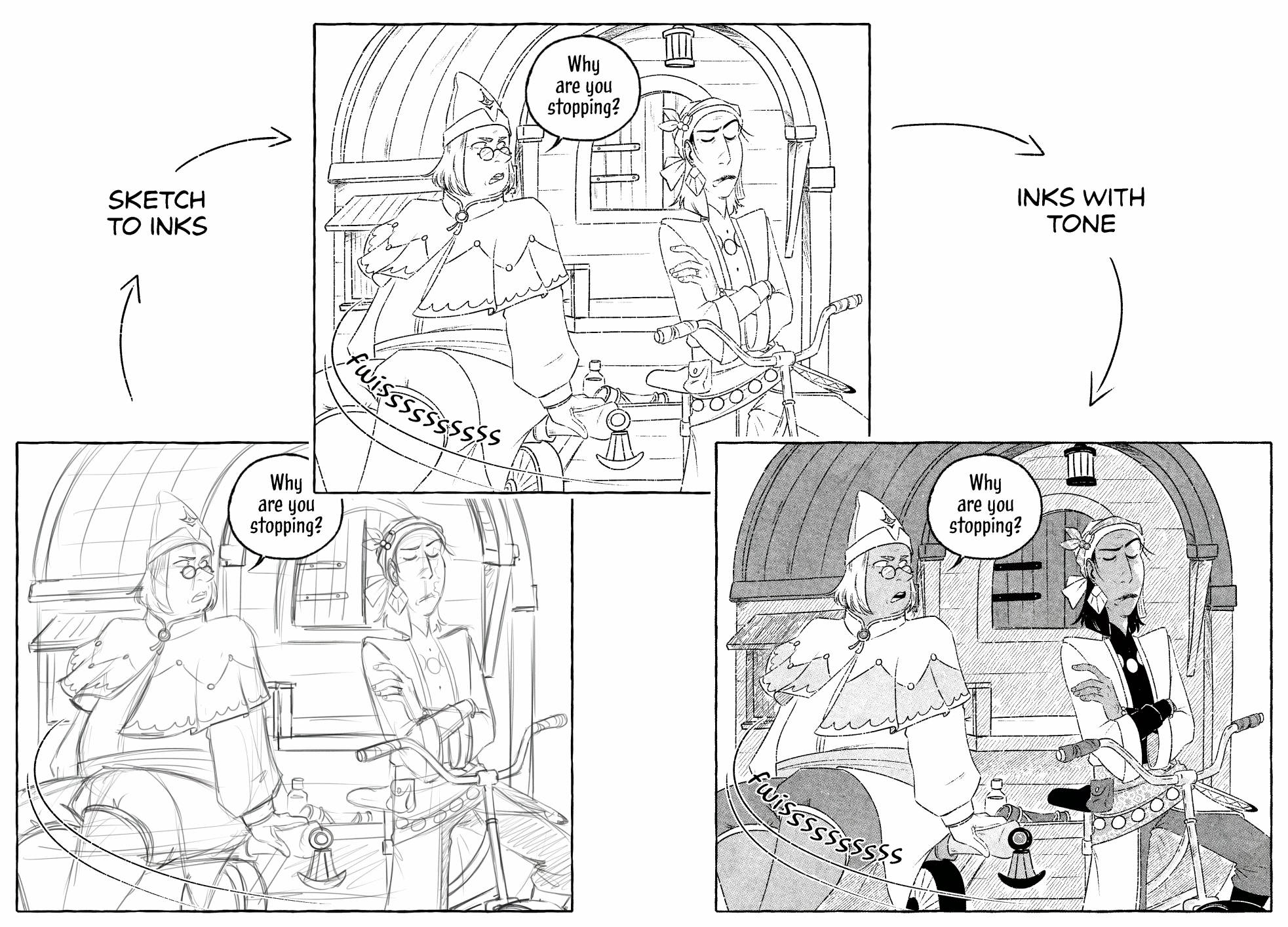
Usually the process (for me at least) is sketch > inks > tones, as shown here ^
There’s a LOT of different kinds of ways to tone your comics but for today I’ll just chat about the ones I’ve done and am familiar with. Here’s some examples of tone styles I use frequently or keep coming back to. I primarily work in black and white so I’ll mainly be talking about toning from that standpoint and I’ll keep singing its praises throughout the talk~
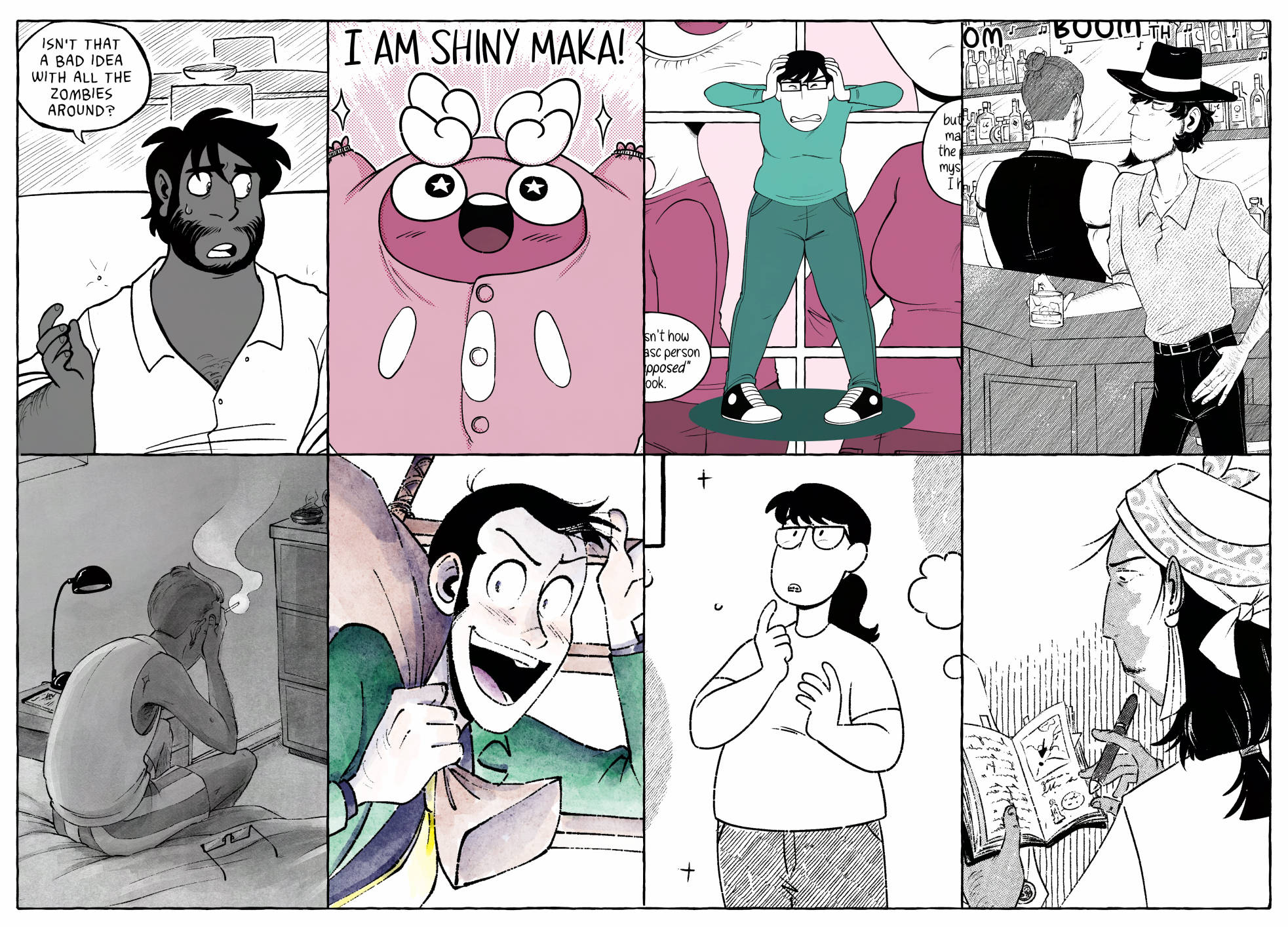
So how do I go about matching tones with the tone of my stories? As you can see I’ve got quite a few different genres and styles up. While I have my favourite inking brush for all my newer comics, I try really hard to change up the toning styles a little bit per comic. This might just be a personal choice but I like all my comics to look just a little different from one another and it gives me the opportunity to try out something new instead of behind stuck with one style for ever.
And since I have my favourite inking brush that stays the same throughout the comics it’s been a fun and challenging task to find new ways to tone my lineart. I like to find tones that match the lineart and are easy to use with it because it is a bit of a finicky brush with lots of little gaps, but ohhh do I like the end look so much. It’s worth it. Finding tones that feel a bit more traditional or give a really interesting look are things I tend to lean towards.
In order of appearance above:
Dead City was my first big comic, written by my wonderful spouse Max Parker. It ran from 2013 to 2020. Dead City was all traditionally drawn but toned in Photoshop. I only used 50% grey throughout the comic. Because it was my first comic, I wanted to keep things as simple as I was able but showing JP as a person of colour was very important.
Later on for the final omnibus book I did go through to re-letter and re-tone the whole comic where I did bring in a few more shades of solid grey and hatching where there hadn’t been any previously. I also highly recommend, if you’re going to use say 50% black on your comics, to make a swatch for it instead of making the layer 50%. I had to go back and fix like half the comic’s tones because I had switched part way from layer opacity to a swatch and they DID look different.
Alola Darumaka, also written by Max, was the comic I worked on right after Dead City so there were similarities in how I worked. This comic is a 4-koma comedy comic so keeping it flat with a little screentones added made it feel really easy to read and to draw as well. I chose 4 shades of this pink colour to use, one because they’re cute, and two I find that limiting myself in terms of palette can produce better results than if I’d gone with the whole spectrum. You can see my palette on the right is organized by colour and is limited to four shades per colour.
For the screentones on Darumaka, I started in Photoshop way back in 2019 using Kyle’s screentone pack. Then I moved to Clipstudio in 2020 and everything changed. Clipstudio has this neat function where you can turn a layer in to tone and use whatever brush you want. From there I change the layer colour to match the palette of the comic.
Oh Joy Sex Toy, I worked on monthly comics for them from 2021 to 2023 (and ohhh big news I’m coming back to it!) Oh Joy wants the comics to be lighthearted and fun, but also readable on mobile so flat colours, again, were the way to go here. I chose my 4 main teal colours to use from my palette and off I went! Sometimes branching out to another spot colour or two for emphasis, as you can see from the pinks in the background.
I primarily use the fill tool for these comics and then try my best to fix any gap issues as they come up, but I prefer to paint on my tones to get a more accurate edge on my lineart.
After All, a short NSFW comic, was re-toned a few times until I was satisfied with something. Short comics are so GREAT for tone experimentation! Try something out, how does it feel? Don’t like it? It’s only a few pages so try something you DO like. I ended up going with just line hatching tones on this one and I gotta say, it printed really nicely on my printer while using minimal ink versus the printer printing the whole page with flats.
The Curtain Falls, a bigger standalone story and my first bigger solo comic. It’s got car chases, adventure, depression and the fear of aging! I’d been experimenting with a specific watercolour brush for a while and decided on using that for the whole comic. It has this really lovely texture that I felt really lent to the story well. It’s a build up brush so even while using a black swatch, the brush produces a really light grey so in order to go dark I layer the brush a few times. I do like this because it gives me a lot of control especially when lighting a scene.
Jigen Now and Then, an upcoming fanzine Max and I did a short comic for. Now I know I said I like B&W best but sometimes on my own accord I will add colour if the story really calls for it. This comic is primarily in b&w until the famous Lupin the Third does show up, then and only then does colour return to Jigen’s world.
So something I want you to think about, and really think about is: does your comic NEED colour. Does it lift up the story and does it play a part at all? Would the impact of the pages feel the same in black and white?
My comic Gender Slices and my HRT Diary follow up are strictly black and white! There’s almost no toning at all and that’s also by design, to keep it as quick as possible to make and to keep printing costs down.
B&W is so much cheaper to print than colour so I want you all to keep that in mind when thinking about your comic and colour. I’d looked in to printing my OJST comics and they were 2x the price in colour than they would be in b&w.
Lastly, The Curse Eater. I’ve only gotten into halftones in the last two years or so. The the base options that come with ClipStudio, while are serviceable, there’s just something about them that feel too clean for me, which works well for my 4-koma comic, but I wanted to try something with GRIT. So of course, when TrueGrit Texture Supply put out a halftones set I immediately grabbed it and started experimenting! Turns out, I DO like halftones if they’ve got some kind of roughness to them. TrueGrit also released their Halftone machine, which then really solidified trying out halftones on a longer comic.
EXPERIMENTATION!!!!
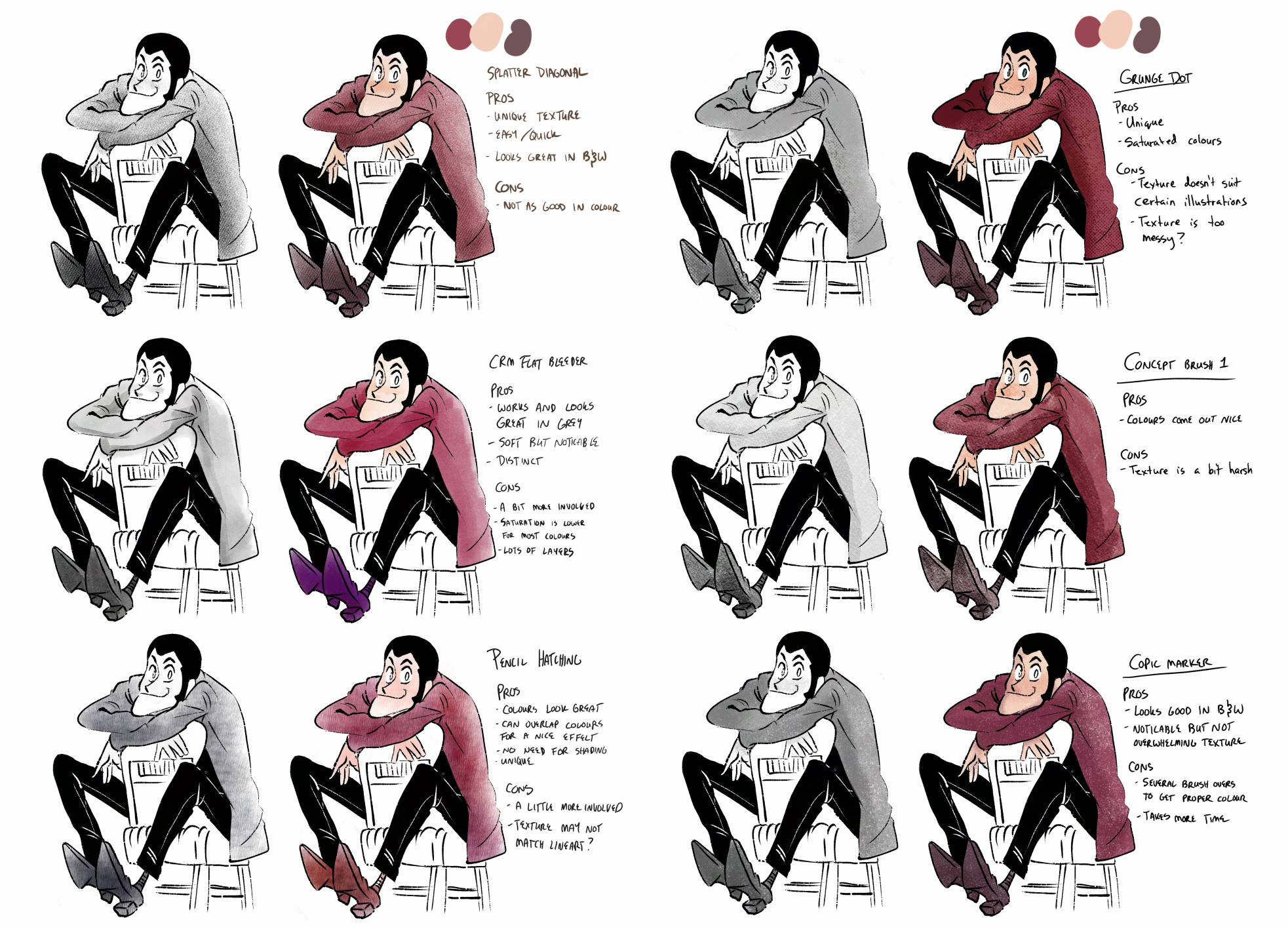
I’ve been playing around with tools and brushes since I switched to ClipStudio in 2020. A lot of the brushes I’ve downloaded are just on the Clipstudio asset store, which I HIGHLY recommend trying out There’s actually thousands of brushes to try for free. Occasionally I’ll go on a brush downloading spree and try them out on one drawing while also taking notes during the process.
I mentioned TrueGrit already but go check them out! The coop has a discount with them so please give them a shot, their tools are such high quality.
Once you find a few brushes or tools you kinda like, try some 1-2 page comic with them. One-shots are honestly the best way, in my opinion, to try new tools out and get better with them because:
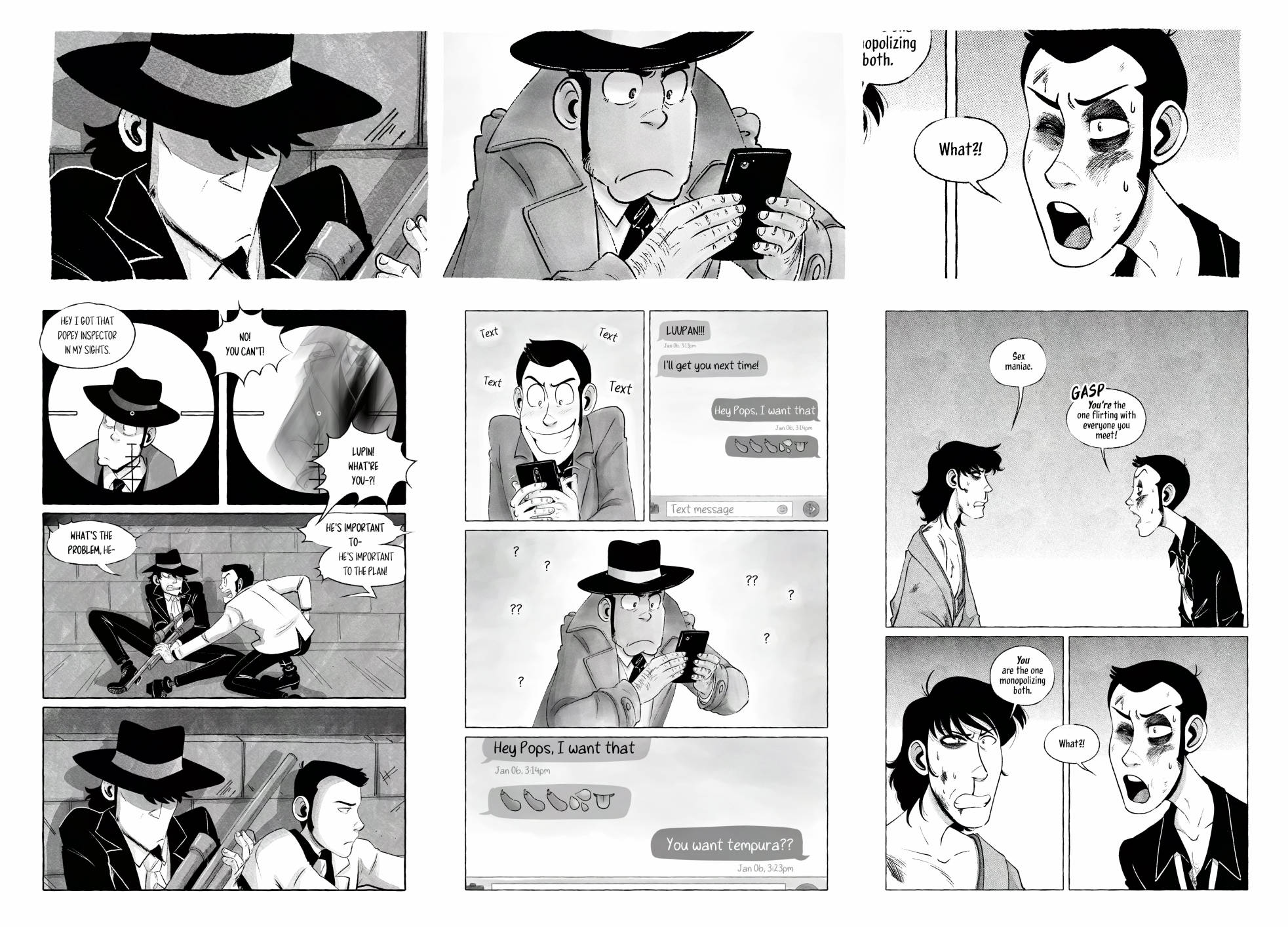
1. You’re not locked to a style for a long series (not that you NEED to keep the same style throughout a webcomic mind you) you just need to get through these 1-2 pages with this tone then you’ve just got a comic now!
2. You can try some completely new brushes that you may love or you may end up disliking, like I did with this middle painterly style. It was fun to try but ultimately I didn’t end up liking it. Don’t like it? Drop it! but finish this short comic first, ’cause then you still have a comic.
3. While you’re experimenting, take notes for yourself. How did you like it? What are the pros and cons of the tools you were using? Did it make you faster or slower at a page? Did you like the process?
I’m just such a firm believer in one-shots and short comics for so many reasons! Please go experiment with short comics! Go wild!
I’ll delve a little deeper into my favourite tools here.
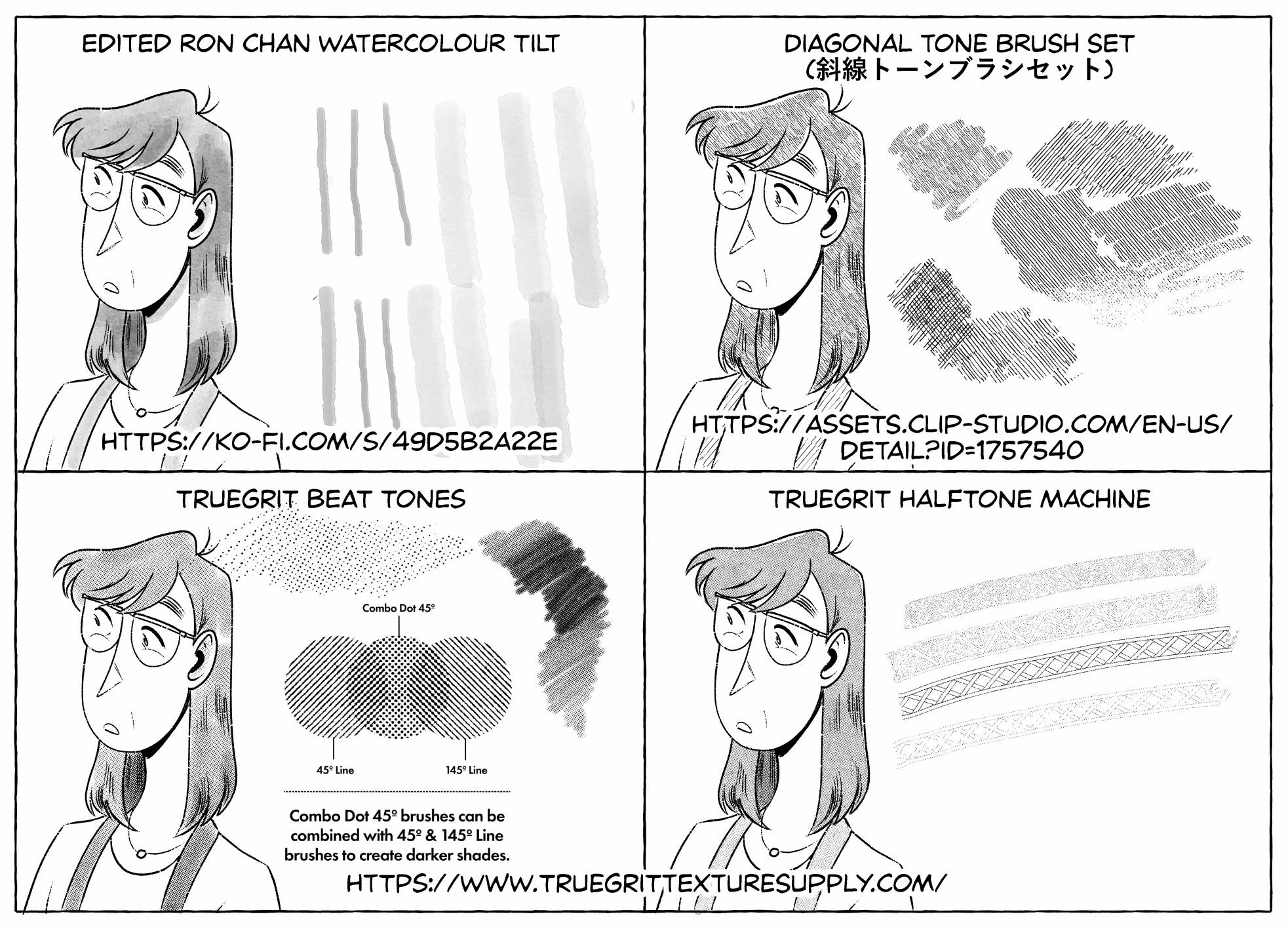
Okay, me personally. I like TEXTURE! I thrive off tools that are easy to use but add just a little something unique to the comic they’re being used on. Bonus points if I can get the comic page done quicker but it still looks NEAT!
May I introduce you to my favs:
Ron Chan Watercolour Tilt Brush
My edited Ron Chan Watercolour Tilt brush. This has been my go-to for around 2 years now. I just keep coming back to it. I did add a different texture to it and I thiiiink I altered the sensitivity on it but I got it where I really want it now.
Bonus points on brushes where I don’t have to change the swatch. This is all just black being adjusted by how much pressure I’m giving it or building the brush up. Tilt and zoom also effect how big the brush is and gets, I don’t have to change brush sizes? AMAZING! I love that.
I’ve only toned a few comics solely with this one but it’s got a lot of different hatching styles on it. It prints really nicely and saves me a lot on ink.
I normally use it along side one of my other tools, like using it to shade on top of halftones for extra texture and depth.
I also grabbed this a few years ago (before the coop was around) and it really changed how I felt about halftones. I liked these new textures. I liked that I could have pressure sensitivity on some of them. I liked that the lines could be combined with the dots and I should really do a short comic with just the combo dots soon.
Okay but then everything REALLY changed when TrueGrit announced the halftone machine. I bought it the week it came out and I’ve done most of my halftone style comics in it. It’s an absolute game changer and LET ME TELL YOU WHY.
It’s not a brush, it’s a folder you pop on top of your art. Not unsimilar to how ClipStudio’s base halftones work.
Similarly, I can use ANY brush I want with it. My RonChan tilt brush, a gritty texture with lots of transparent holes in it, a patterned brush???
It’s quickly become my favourite tool for toning. It has quite a lot of options for dot style, and because I can use whatever brush I want I can alter it per comic to give each comic a little something new, something more unique than the last.
Heck I can even flat tone with it for a really easy, quick, but good looking result.
I think Truegrit should sponsor me.
Lastly for my tools I’ll chat just a bit about my printer. I print all my own short comics myself on my Brother HL-L2370DW b&w laser printer (which I just found out is discontinued!! but I love my little work horse so much)
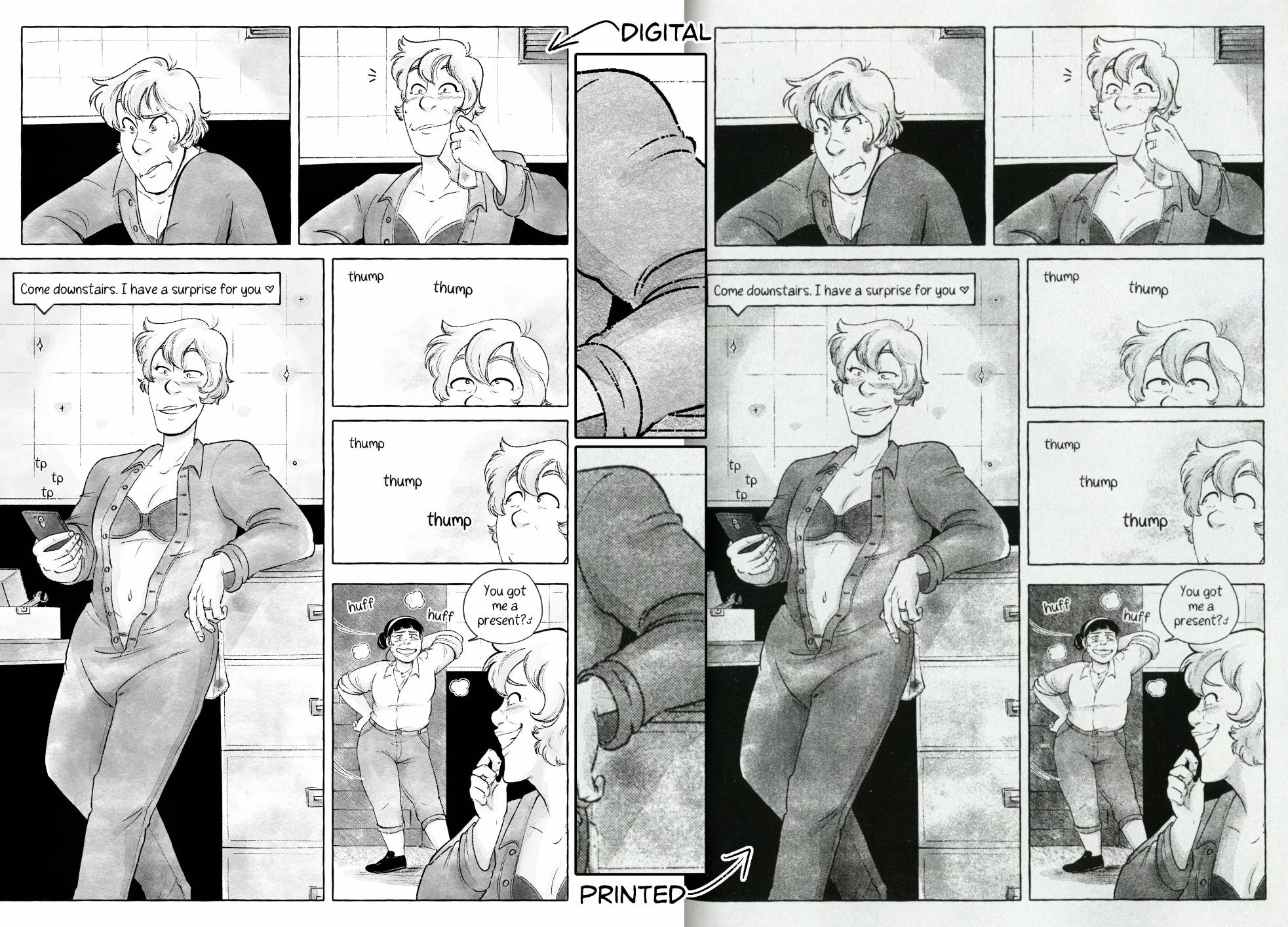
The neat thing about laser printers is they also work on a dot system, so when you print grey tones they do appear as halftones which can give your zine a really neat final look. Here’s a scan and a zoomed in panel from one of my zines where I was trying out a textured watercolour brush.
I really like the look of the printed copy, moreso than the digital. Again, that’s a personal preference. But something to consider when buying a printer.
And if you do get or already have a printer, I highly recommend printing out a test page of your comic ESPECIALLY if you’re using halftones so you can get the dot size right — too small can give it a weird look, but too big and your lineart can get lost.
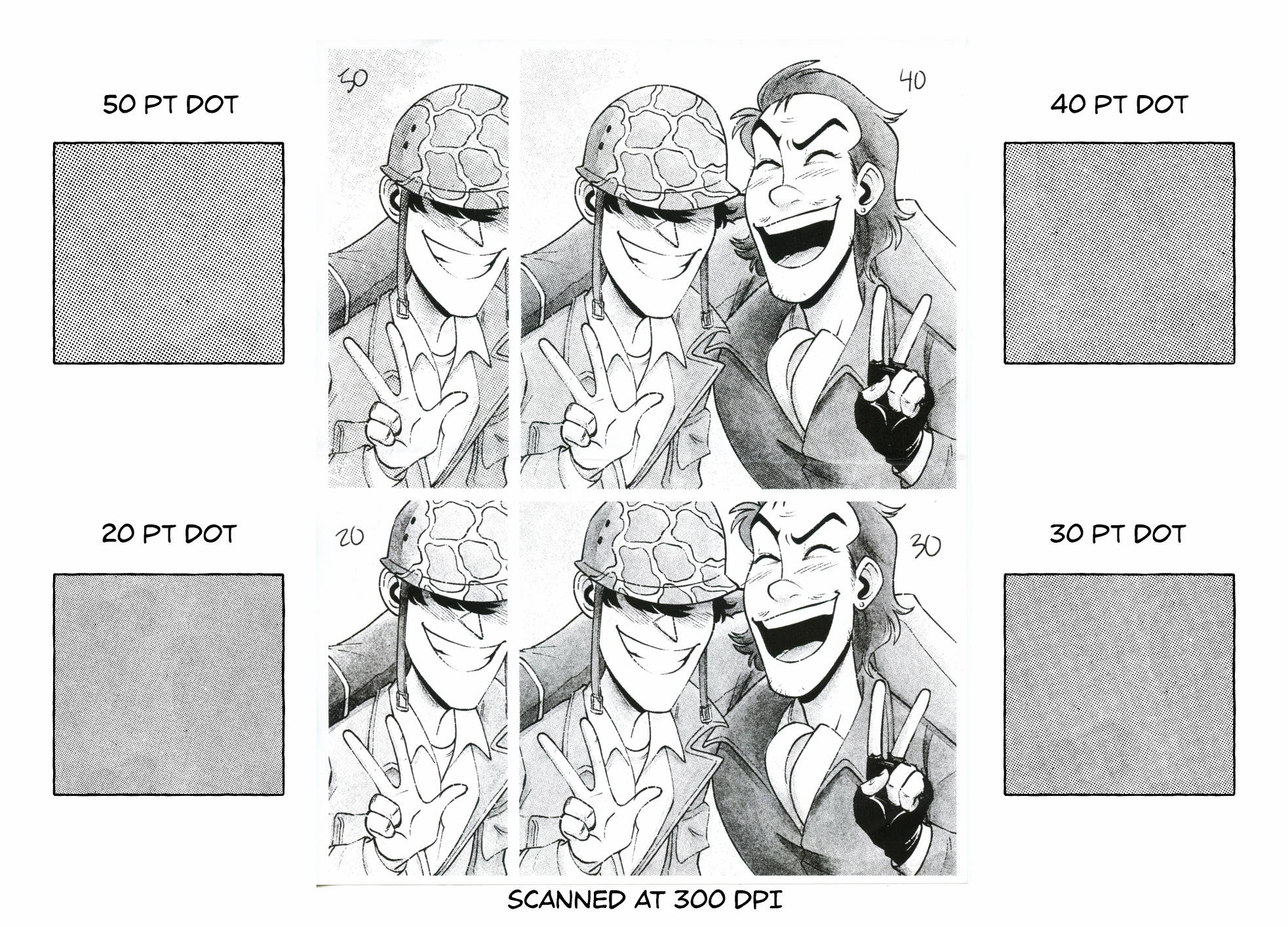
I like to keep my dots at 30 or 40pt depending on the dpi and page size, but this gives me a nice small dot without looking off. You can see on my screen that the 30pt dot does make an odd pattern but once I zoom in it looks normal. This is why I recommend printing a test page, because I would have assumed the 30pt would also print weird but as you can see in the scanned copy beside it, it turned out alright!
Again, all this is up to preference but I wanted to give this talk to encourage you to try different brushes, tools, and experiment. There’s an infinite amount out there so why not pick something up and give it a go?
Thank you for listening. If anyone wants I’m open to questions and am more than happy to clarify anything in the comments below.
If you have any other questions you can find me at jpawlik.com & topazcomics.com or on most social media sites. I’m always happy to chat on the coop discord or for something more in-depth you’re more than welcome to email me.
Updated: Sept 1, 2025
What program do you use to draw? What brushes do you use?
I use Clip Studio for all my art/comics. I use an XP-pen display tablet on my computer and a Samsung Galaxy Tab S9+ to draw on the go.
My lineart brush: https://assets.clip-studio.com/en-us/detail?id=1788976
My sketch brush: https://assets.clip-studio.com/en-us/detail?id=1811630
My tone brush (with swapped textures): https://rondanchan.gumroad.com/l/ms5-wc1?layout=profile
My colour palette: https://assets.clip-studio.com/en-us/detail?id=1986433
My halftones: https://www.truegrittexturesupply.com/collections/clip-studio-brushes/products/beat-tones-halftone-brushes
What can I do with your art?
You may use my art as display pictures, wallpapers, and banners, and would like credit if you do so! I ask that you not repost or edit my work. You may not sell or use my art to train AI.
Can I use your art as a tattoo?
Shoot me an email @ jey@topazcomics.com first, but mostly likely yes unless the piece happens to be very personal. If you want to drop me a Ko-fi donation that’d be much appreciated too!
Where can I find you online?
Find all my socials at the bottom of this page or over on my portfolio
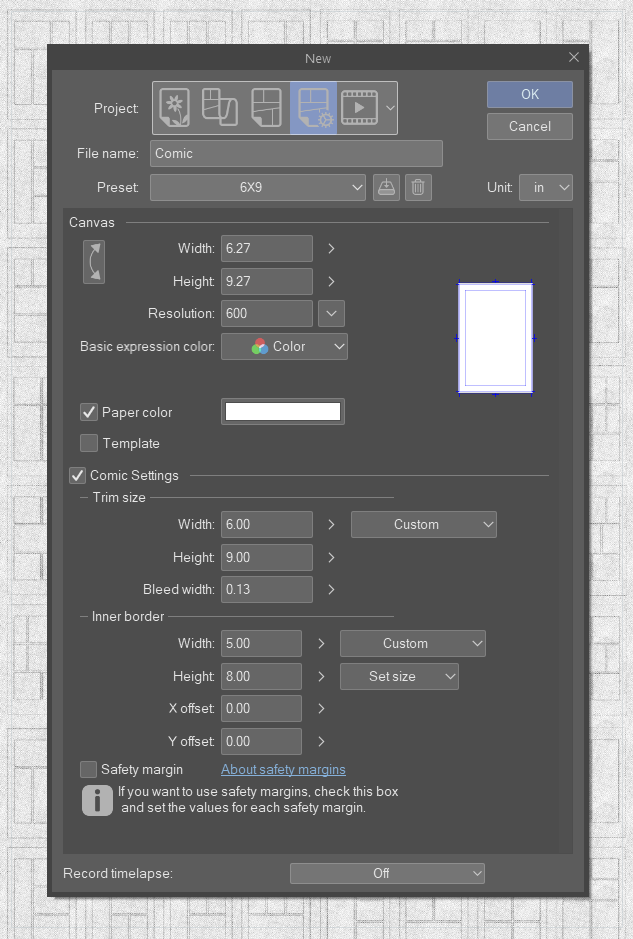
Comic templates for 6×9 size comics made by me for my “Ins and Outs of Webcomics” info comic.
Templates include .png, .psd and .csp files. Dpi is listed in template names.
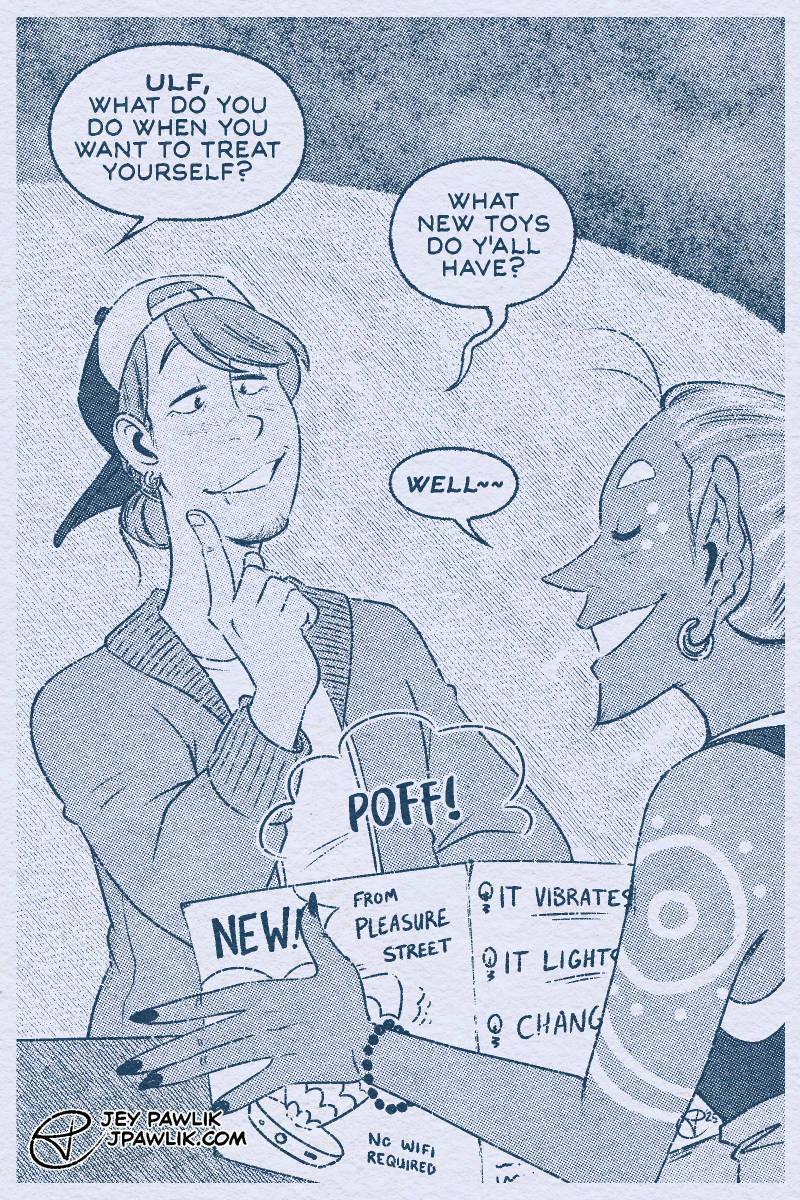
My second piece for OCtober, a question for Ulf today! Ulf is a loooong time OC of mine (circa 2011) and you can find lots of old art on my art blog, or my 5 page NSFW comic Long Haul Leisure Time~
Send me OC questions this month over on this free Patreon post!
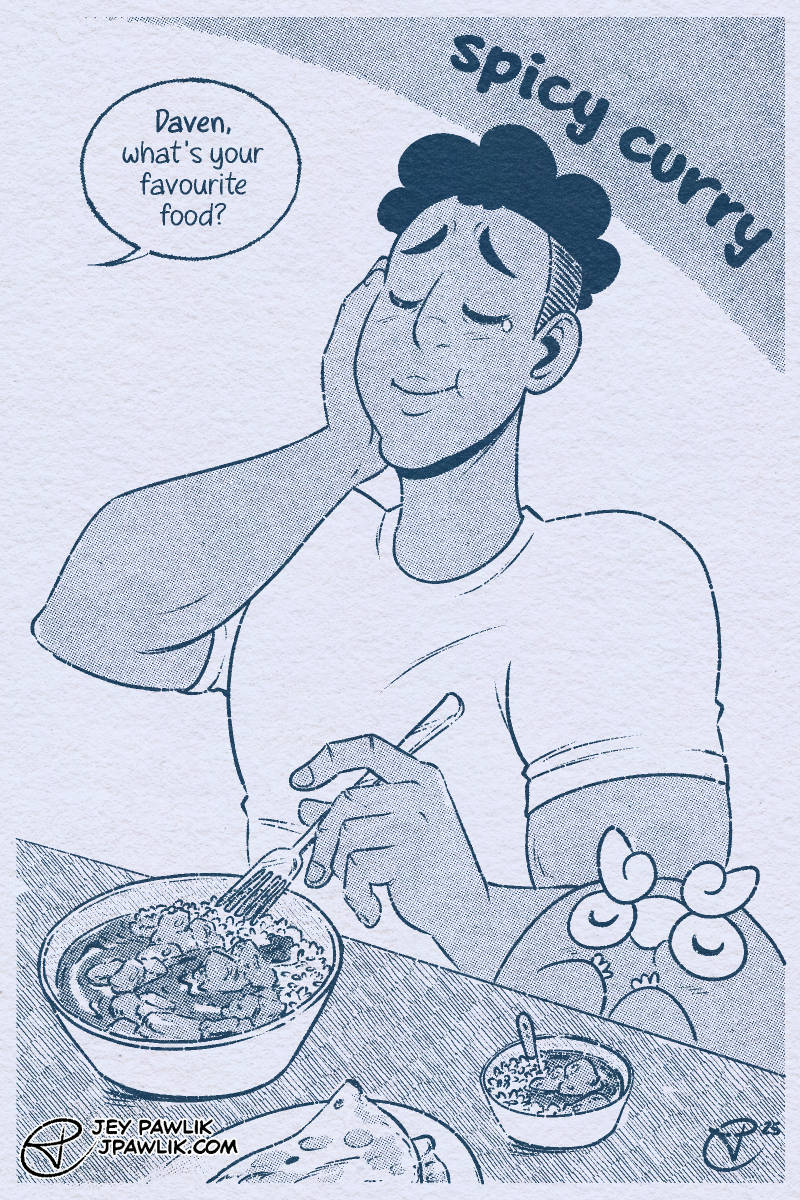
The first piece from my OCtober, we’re starting with a question about Daven and what his (and Darumaka’s) food is! You ask OC questions over on this free Patreon post~~
OH! Read Alola Darumaka here btw: https://topazcomics.com/aloladarumaka/alola/
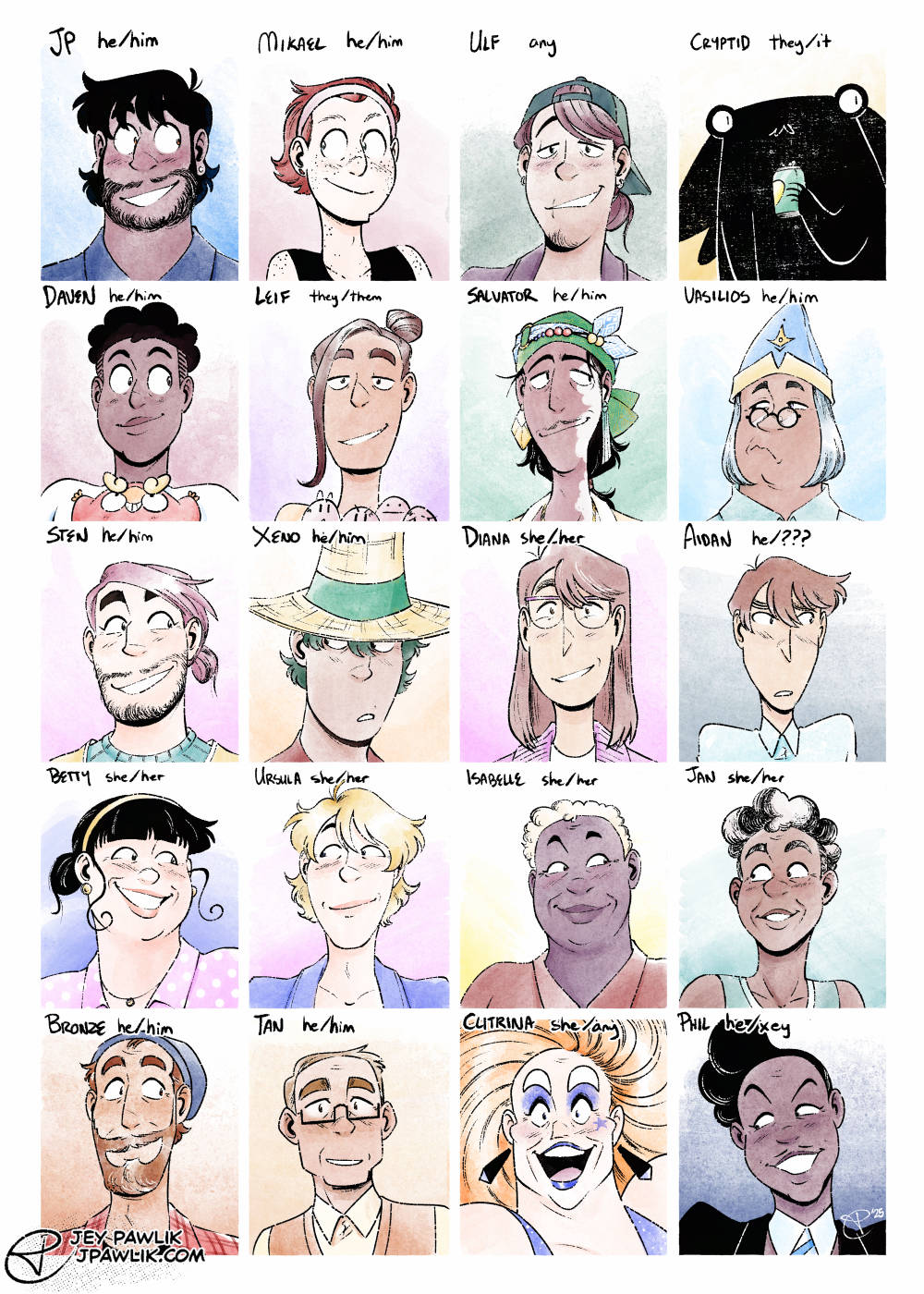
Something a little fun I wanted to do for a while with free & paid members is finally do OCtober– but instead of daily questions and drawings I want to put the questions out to y’all and then post them weekly!
Rules
– Join my Patreon for free (or at any tier, also wow thanks!)
– Ask a question in the comments of the post to or about any of the featured characters
– I’ll draw as many as I’m able and post a set every Friday in October
– Be cool and respectful!
– Keep it SFW (I have a on-going NSFW Q&As for $10 already)
– Feel free to ask throughout the entire month!
Characters
JP Rybakov (he/him) &
Mikael Berk (he/him) from Dead City (Topaz Comics)
Ulf Teitr (any) from my short Long Haul Leisure Time (Oh Joy Sex Toy) (Patreon)
Cryptid (they/it) from the up and coming Cryptid Likes Beer (Patreon)
Daven (he/him), Darumaka (she/her) &
Leif (they/them), Exeggcute (they/them) from Alola Darumaka (Topaz Comics) (Patreon)
Salvator Ozmen (he/him) &
Vasilios Rotulus (he/him) from The Curse Eater (Topaz Comics) (Patreon)
Sten (he/him) &
Xeno (he/him) from an untitled fantasy farming story
Diana Ying (she/her) &
Aidan Ryan (he/???) from the upcoming In Search Of Analogue Days (Patreon)
Betty (she/her) &
Ursula (she/her) from I Built You A Sex Machine (itch.io) (Filthy Figments)
Isabelle (she/her) &
Jan (she/her) from Touchdown & After Practice (itch.io) (Filthy Figments) (Patreon)
Bronze (he/him) &
Tan (he/him) from mine and Max’s DeviantArt group days (Patreon) (Art Blog)
Clitrina Cosmos (she/any) &
Phil O’Plasty (he/xey) from the upcoming Clitrina Cosmos (Patreon)
RSS & You
Back in May for the Cartoonist Coop’s Nib and Ink Fest, I did a pretty in-depth talk on RSS. You can still watch the talk here on youtube, but folks were also asking for a written version so I present to you:

Hello, welcome to RSS & You, a rundown on what RSS is, how webcomics can utilize it, and how readers can organize what they’re reading. This is for webcomic creators and readers alike.
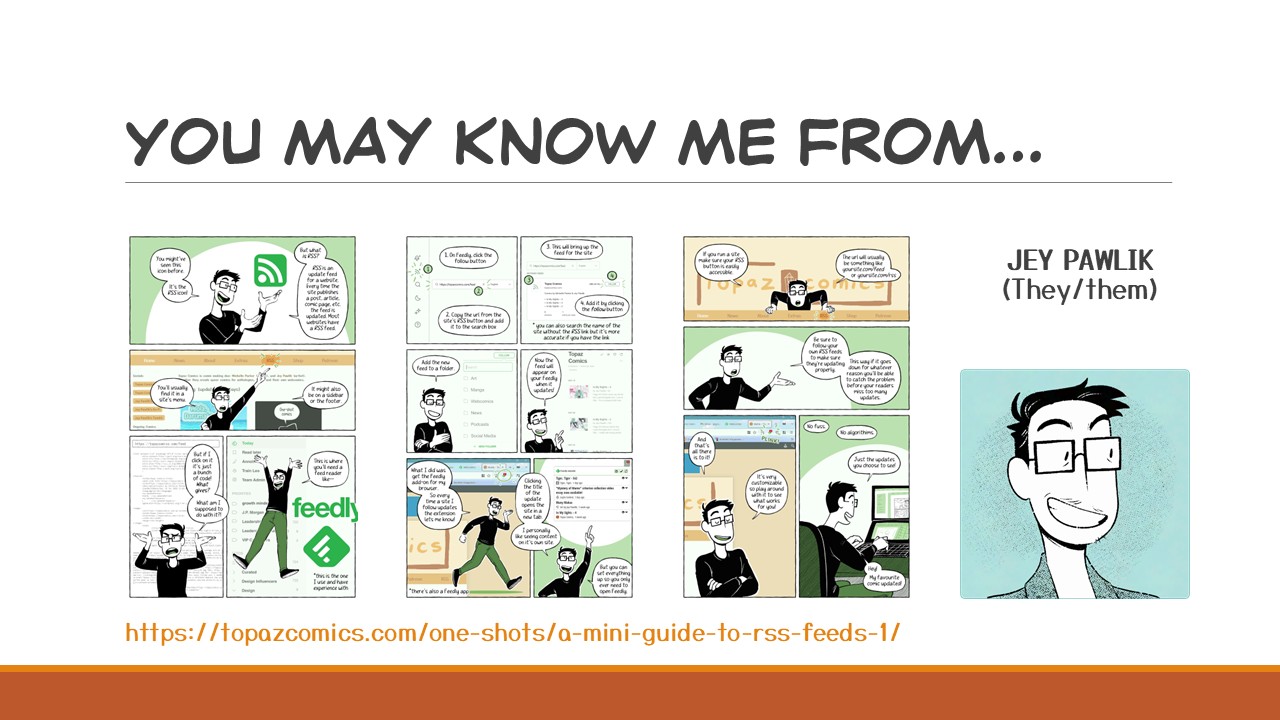
I’m Jey Pawlik and you may know me from that RSS intro comic that I posted in 2022 that kind of exploded! It’s been shared around so much, it’s still getting replies and comments with suggestions and questions. This made me realise that there were a few things I needed to expand upon, there’s only so much you can fit into a 3 page comic after all.
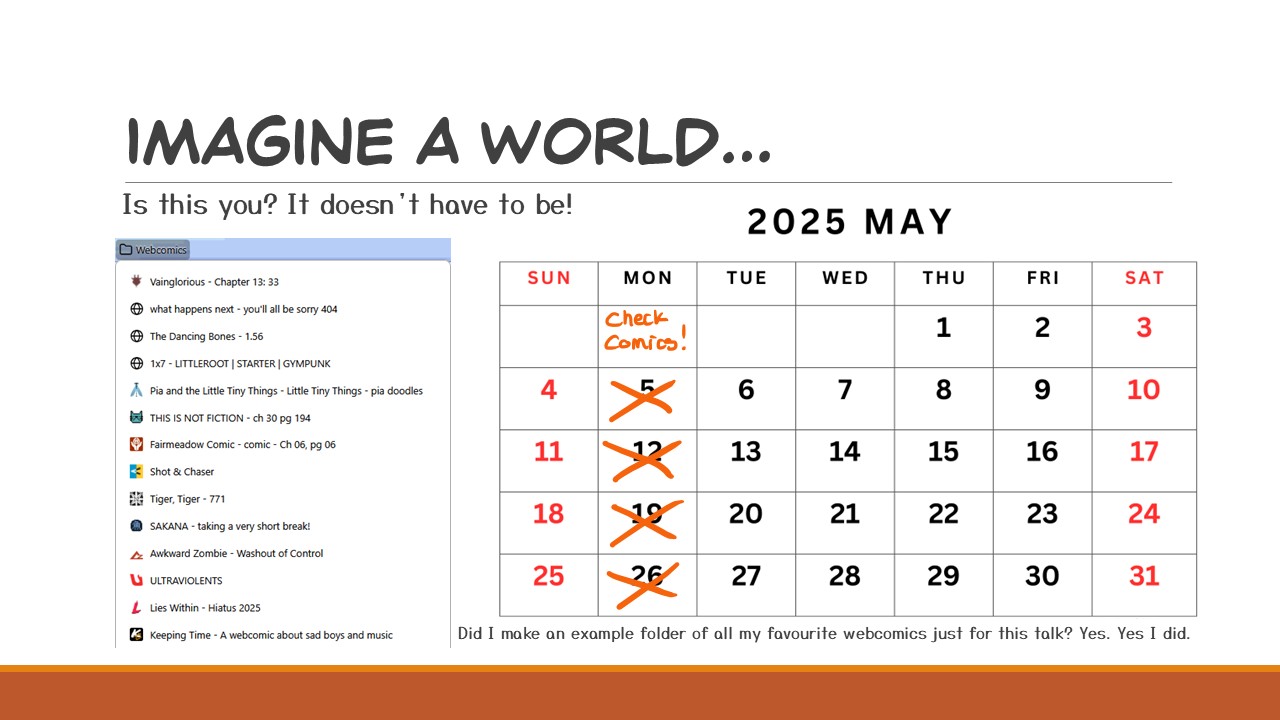
Picture this, you have a bookmark folder FULL of webcomics you keep up with. You check each one every week, or maybe every month, to see if they’ve updated because social media is getting more and more unreliable and you may never see the update post about it. However this makes the task of keeping up with a webcomic more daunting and laborious — but what if I told you it doesn’t HAVE to be like that? What if I told you, there’s something that’s been around for decades that will just GIVE you those updates as they happen? No more checking, no more guesswork.
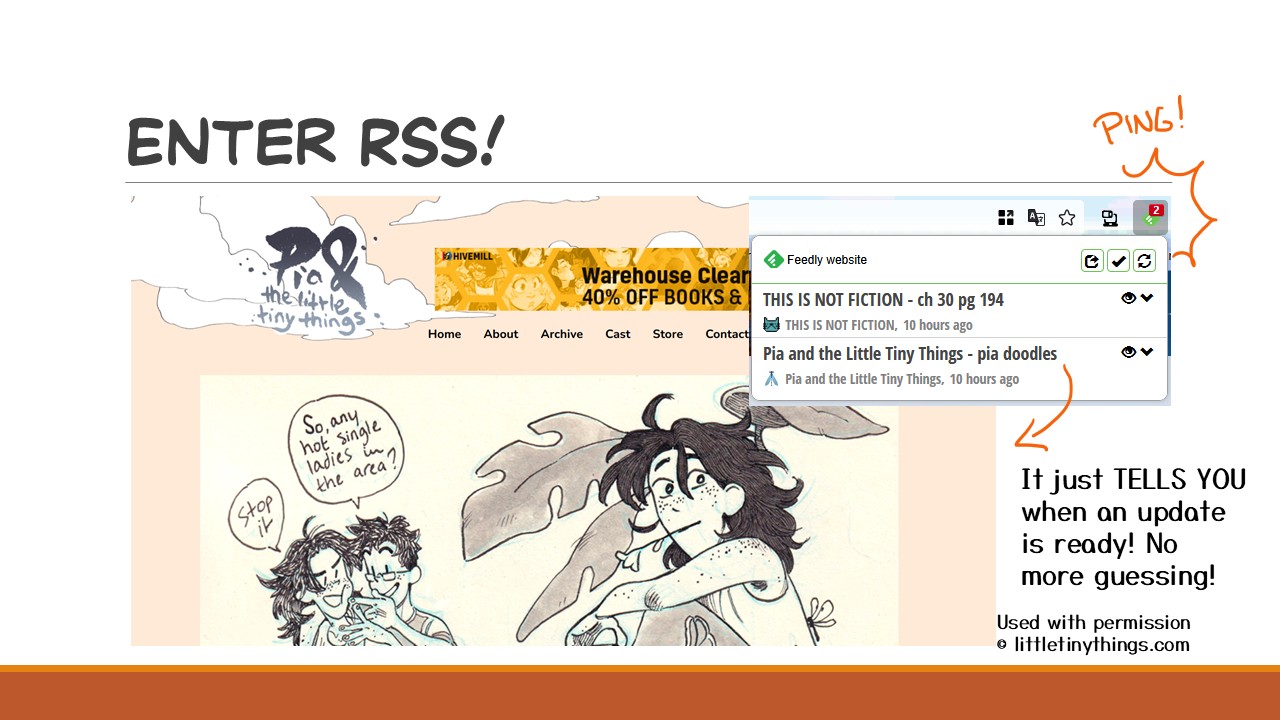
Enter RSS and never miss another update again!
With RSS, I get notifications every time a webcomic updates. Oh, look, there’s two new updates for me. Let me just click on that and I’m sent RIGHT to the latest page. With RSS you can get webcomic, website articles, social media posts, podcasts, and more to a feed you make and control yourself!
Shoutout to Clover for letting me use Pia And The Little Tiny Things as an example, be sure to add this one to your RSS reader after the talk~
Okay let’s get into it, what is RSS exactly?
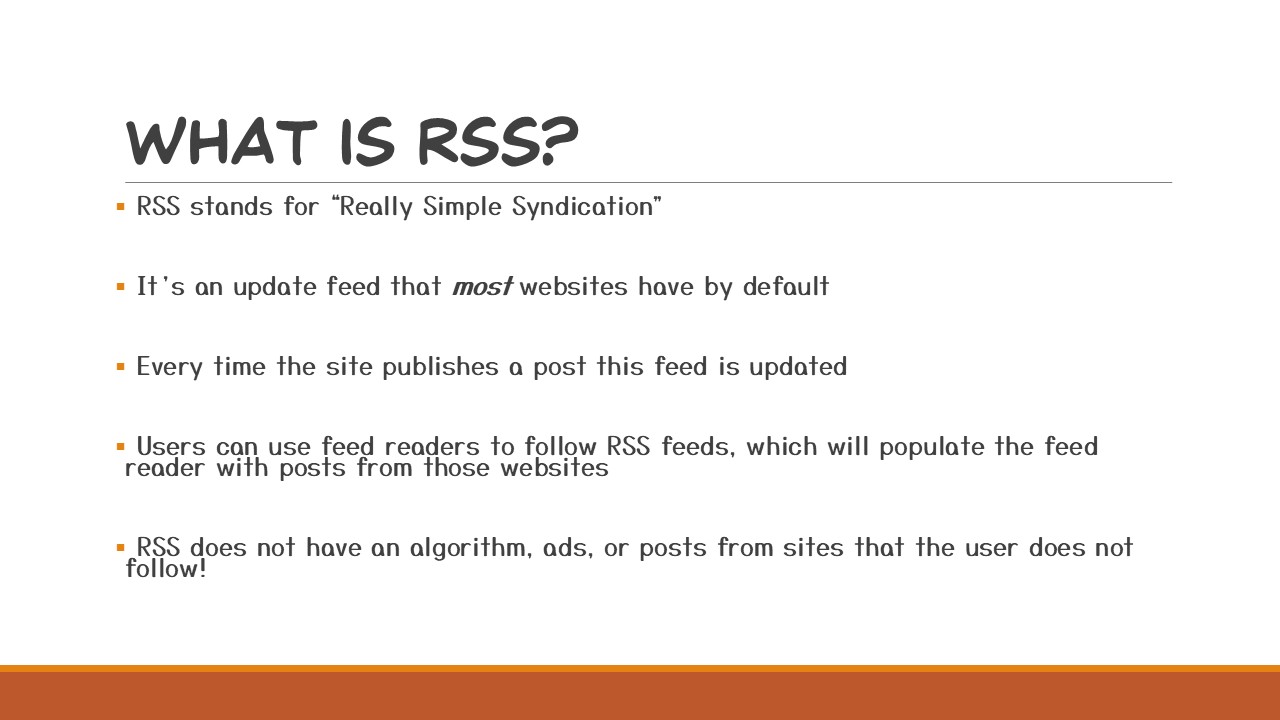
RSS stands for “Really Simple Syndication”, but to put it in simple terms: RSS is an update feed that most websites have by default (I’ll go over those that don’t in a bit) and every time the site publishes a post, article, or comic page the feed is updated. Users can use feed readers to follow RSS feeds which will populate their reader with posts from those websites. The user has complete control over their feed, so when they follow an RSS feed they will get posts ONLY from the sites they follow. There are no ads, data collection, tracking, or algorithm, and it will not show you posts from people you DON’T follow.
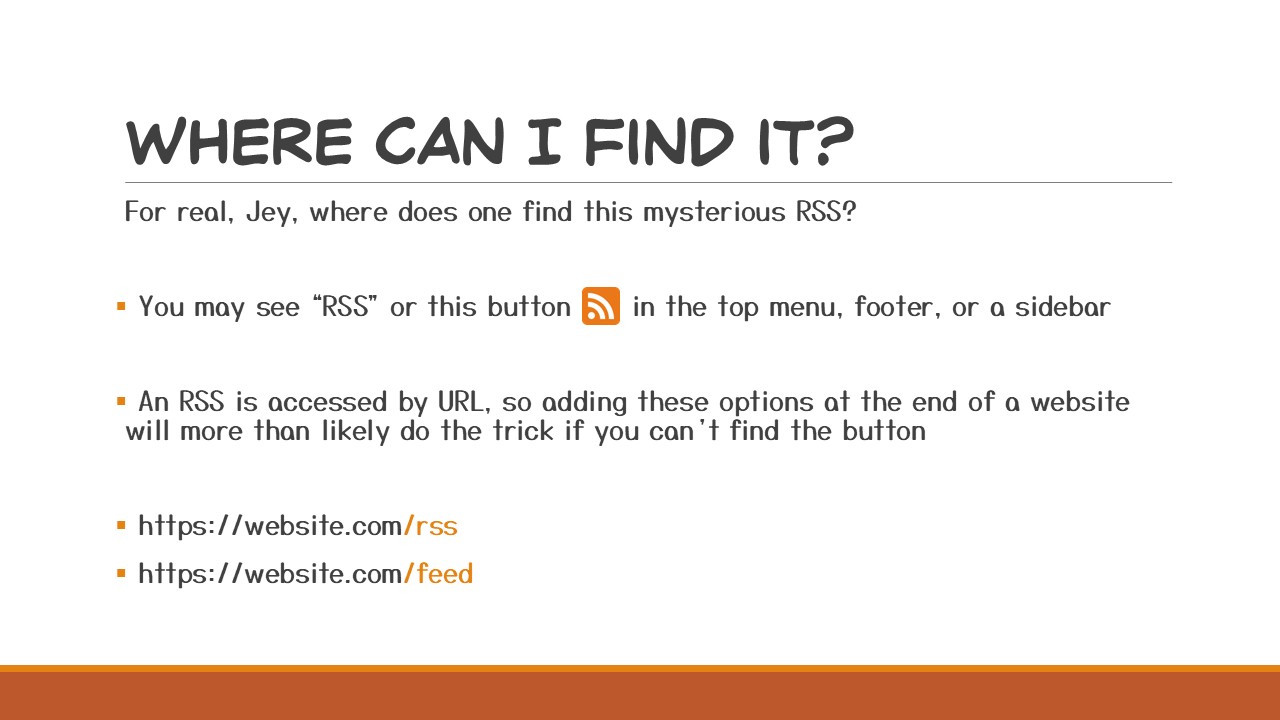
So you’re visiting a webcomic site, you’ve caught up to the latest page and you like it so much you want to follow the RSS feed. In most cases you’ll find it as either the text “RSS” or as the button shown in the slide. These can usually be found in the top menu, footer, or a sidebar. If, for whatever reason, the site you’re using does not have a button anywhere — never fear because RSS is just a URL and you can usually just tack either /RSS, or /feed onto any URL to get the RSS as shown in the slide.
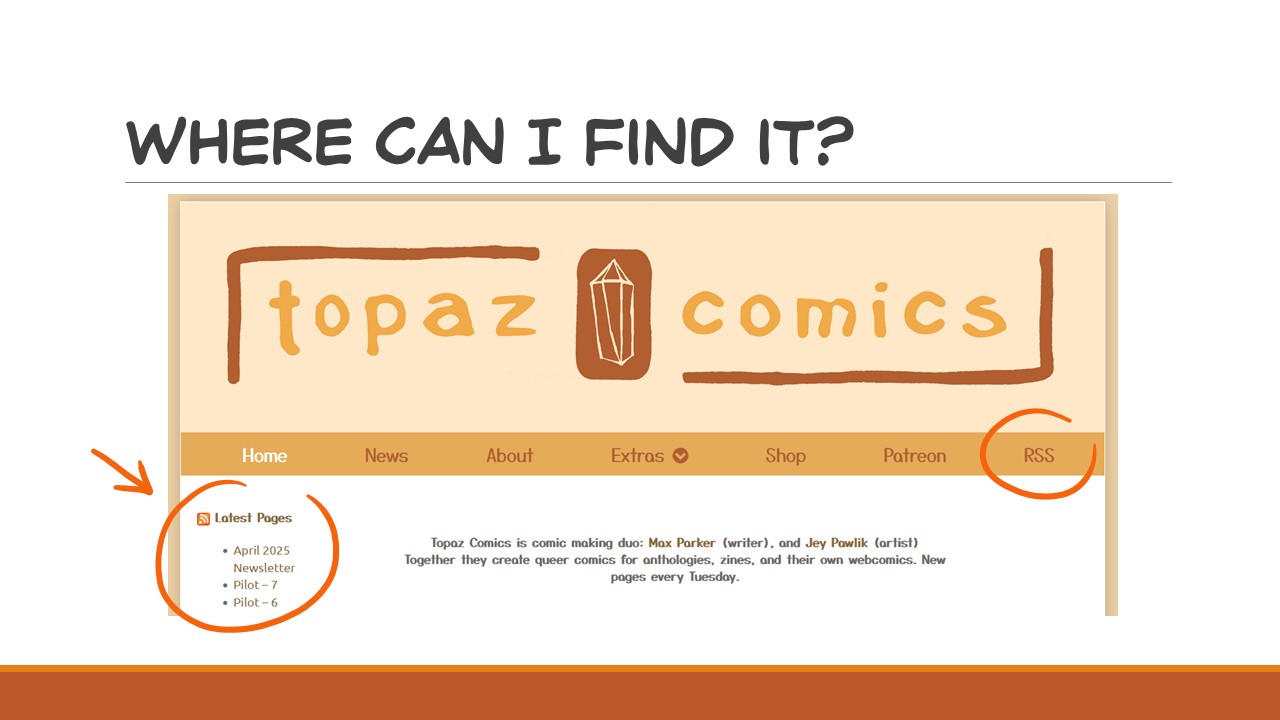
Here’s how I have it set up on Topaz Comics. I have both RSS in the top menu and a little sidebar showing the three latest updates.
Doesn’t it look enticing? Don’t you want to follow it?!
If you run a webcomic I HIGHLY recommend putting your RSS link in an easy to find spot.
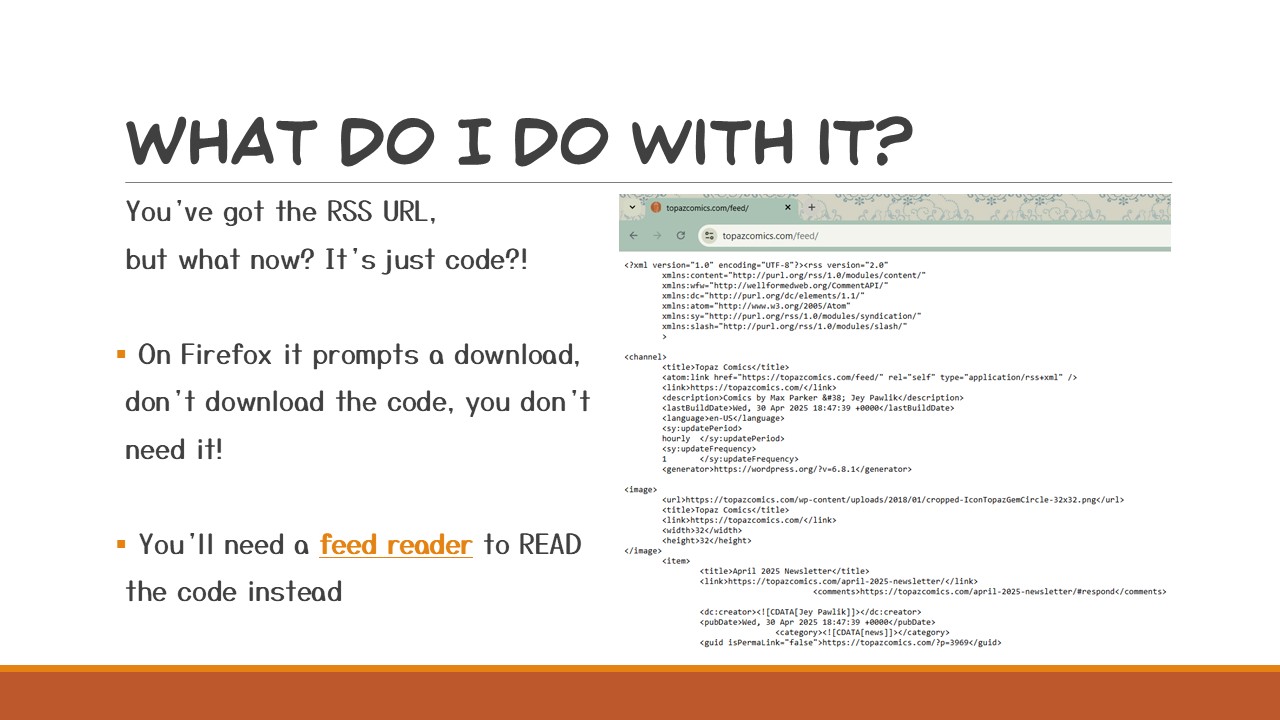
You’ve got the RSS URL but now what? When you click on the button, it just looks like a string of code, or if you’re using Firefox it asks you to download the code — you don’t need to download anything, I promise! This is where feed readers come in and they will read that code for you!
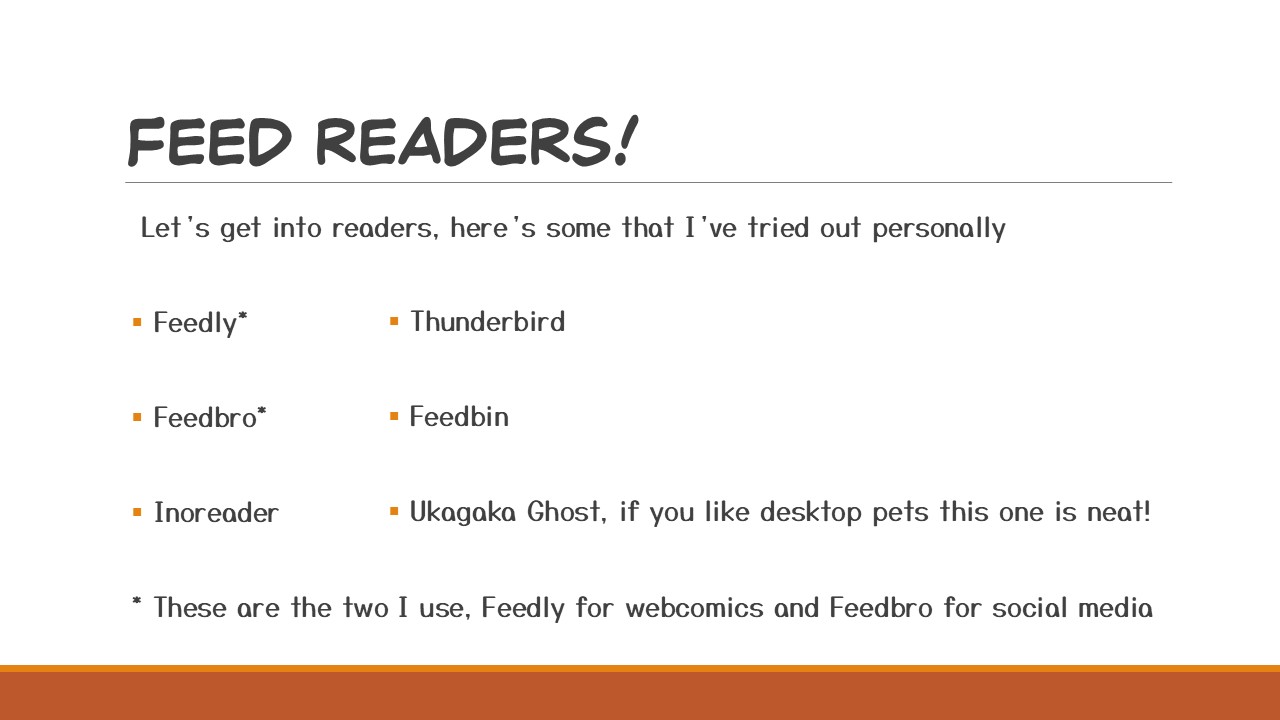
Let’s talk Feed Readers!
There’s so many but I’ll just list a few that I’ve tried out myself. I spent a long time testing these ones out, usually for a week or so to give them a proper go.
We’ve got Feedly, a pretty standard reader and I really like the extension it has, but the company isn’t the best and I’ll get into that later.
Feedbro is the other reader that I like, but it works better for social media posts than webcomics and this is just a personal preference.
Inoreader is very similar to Feedly but I didn’t like their UI or extension as much as Feedly, but a lot of folks recommended this and seem to really like it. Note: you cannot export your feed with the free version!!
Thunderbird is owned by Mozilla (which I’m a big fan of) and was neat because it’s an email client that you can follow RSS feeds from.
Feedbin felt a lot like Feedly to me and while you can sync your feed to other devices you do have to pay $5 per month, which I can’t say I recommend because there’s a lot of free options out there — especially if they’re open source.
The last one I tried, and really want to come back to, is Ukagaka Ghost, this one is such an outlier compared to the others because it’s a desktop buddy that you can program and edit yourself and it tells you when an RSS has updated, the only reason I haven’t continued to use it as a main feed reader is because it’s very time consuming to set-up*, but I do recommend looking it up and falling into the rabbit hole that is Ukagaka.
*Since this talk I have started the tutorial on making my own Ukagaka, albeit very slowly but it has been fun to draw and tinker with
After trying all those out, eventually I settled on two: Feedly for webcomics, and Feedbro for social media, so these will be the ones I’ll be using in my examples going forward. I do recommend trying a few out to see which ones work best for you, they all look a bit different and have their own pros and cons but what might work best for me may not be your cup of tea. Spend some time with them and get a feel for your feeds~
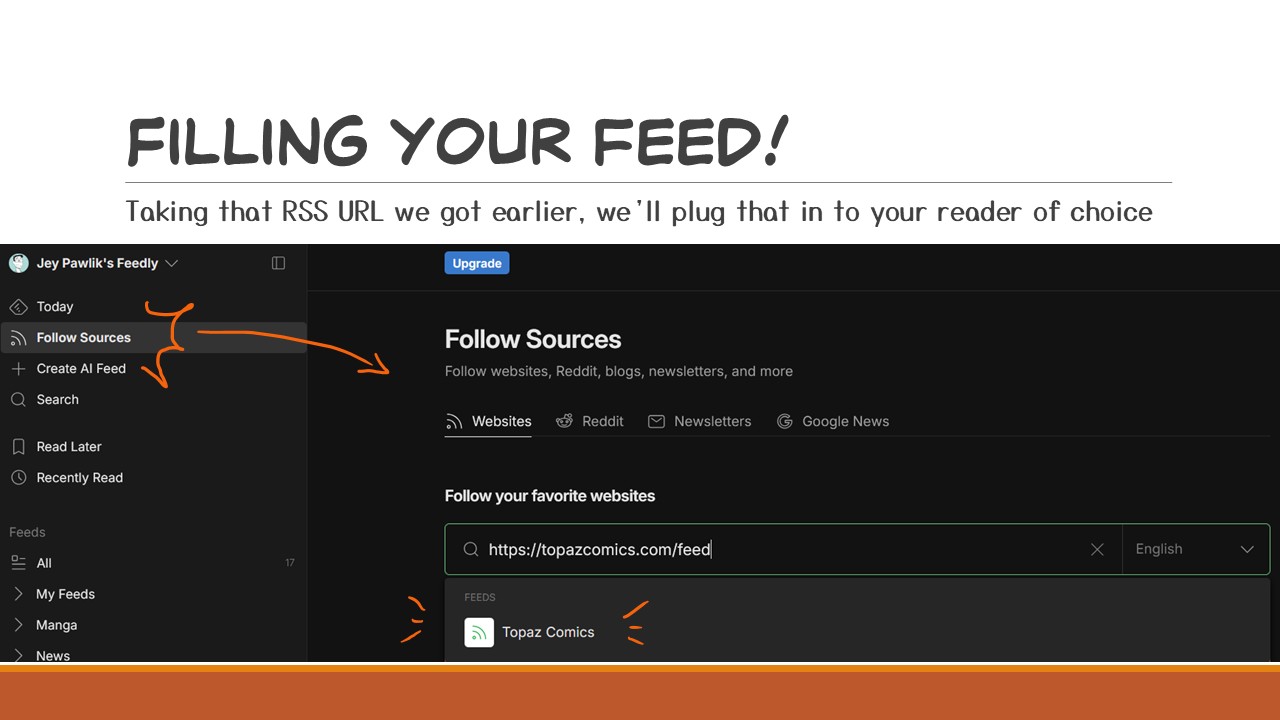
Okay, we’ve picked out feed reader for now.
Using Feedly as my example here, we’ll take that RSS URL we got earlier and plug it into “Follow Sources”. This might be a bit different reader to reader, but there will always be some kind of “Input your RSS here” option. Feedly also has a feature where if you don’t have the RSS URL sometimes you can just plug the website in and it will find the feed URL for you — but beware this might not always work or it might give you an outdated one if, say, the person moved hosts or websites. This happened to me a few times when I was first populating my feed and I just didn’t get updates from a comic I followed. Giving it the RSS URL you got from the source the most reliable for sure!
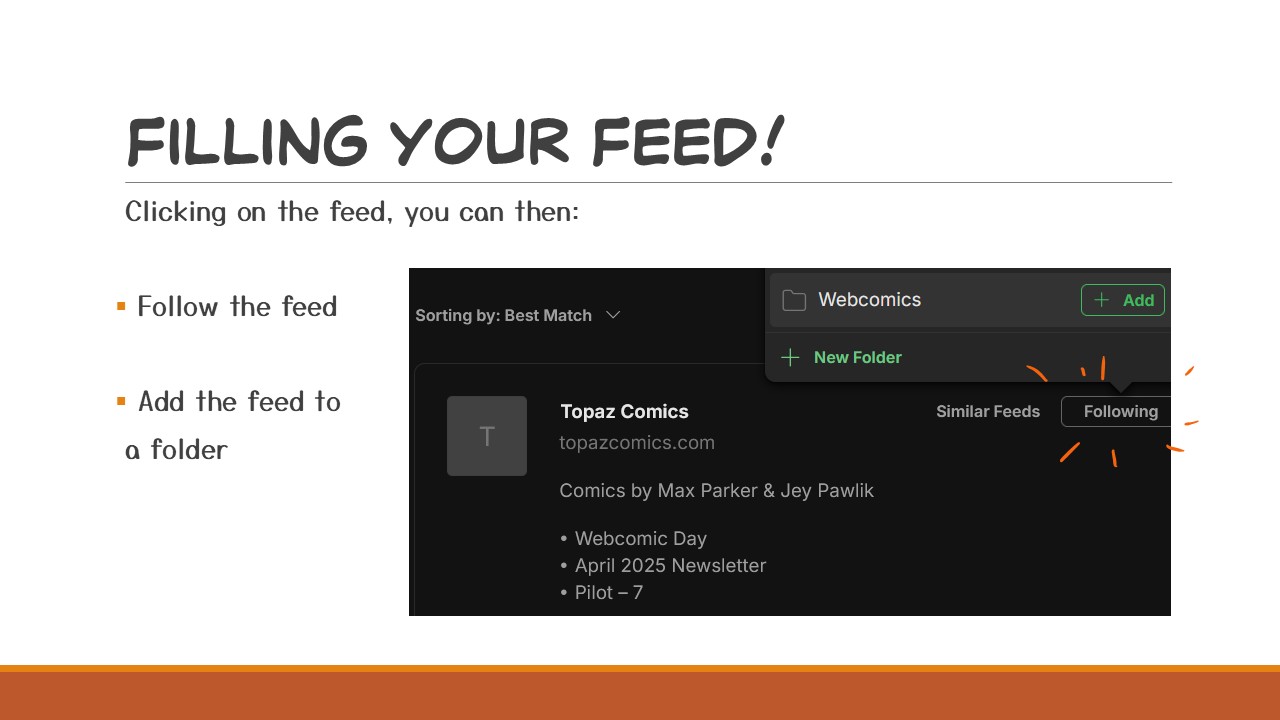
From here on it’s super easy, just clicking the feed you’ll have the option to follow it! I like putting the comics I follow into folders and here’s where you’ll have the chance to do that and organize. I have a folder for webcomics, manga, news, and then a separate folder for my own website feeds.
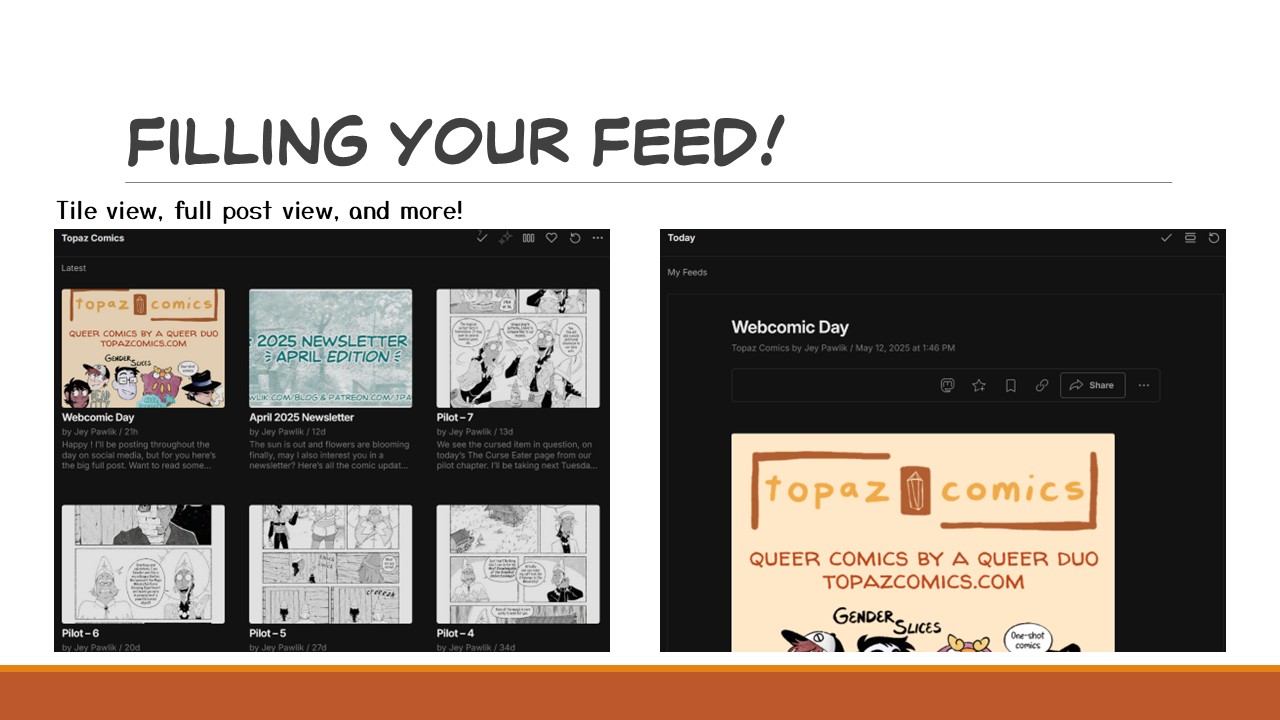
Now you have all the webcomic’s updates ready to read!
From here you’ll be able to customize how you want your feed to look.
Like your updates as tiles with thumbnails? What about a scrollable feed where you see the whole page plus the author’s description?
Most readers are customizable to your tastes! Play around with it, see what works best for you!
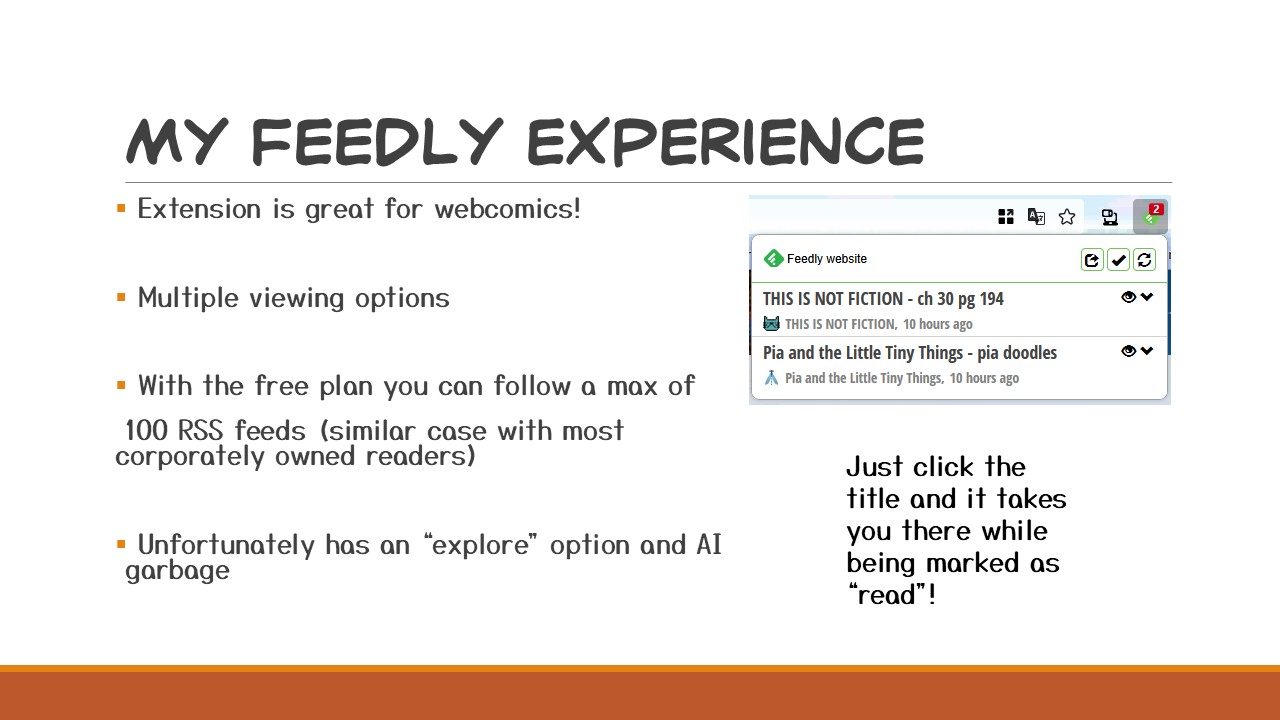
So I don’t actually touch the Feedly site itself, instead I have the Feedly Firefox extension to notify me every time a webcomic updates. I see a little red number appear and I know there’s a comic page waiting for me. My ideal way of reading a webcomic is on it’s own website so this method works best for me. All I have to do is click the update title there and it automatically takes me to the website AND marks the update as ‘read’ so it doesn’t stay in my dropdown drawer.
Feedly isn’t the greatest company, with the free plan you can only follow 100 feeds (most corporate readers have some kind of cap, (I know Inoreader’s cap is 150). They’re also really pushing for AI garbage, AND have added an “Explore” tab on their site which defeats the purpose (and spirit) of RSS.
But I haven’t found a reader I like better for webcomics — especially since the only time I open the Feedly site is to actually ADD a new comic and that’s it.
I did say I tried out a good number of readers.
You’re probably thinking to yourself, “wasn’t that a lot of work?”
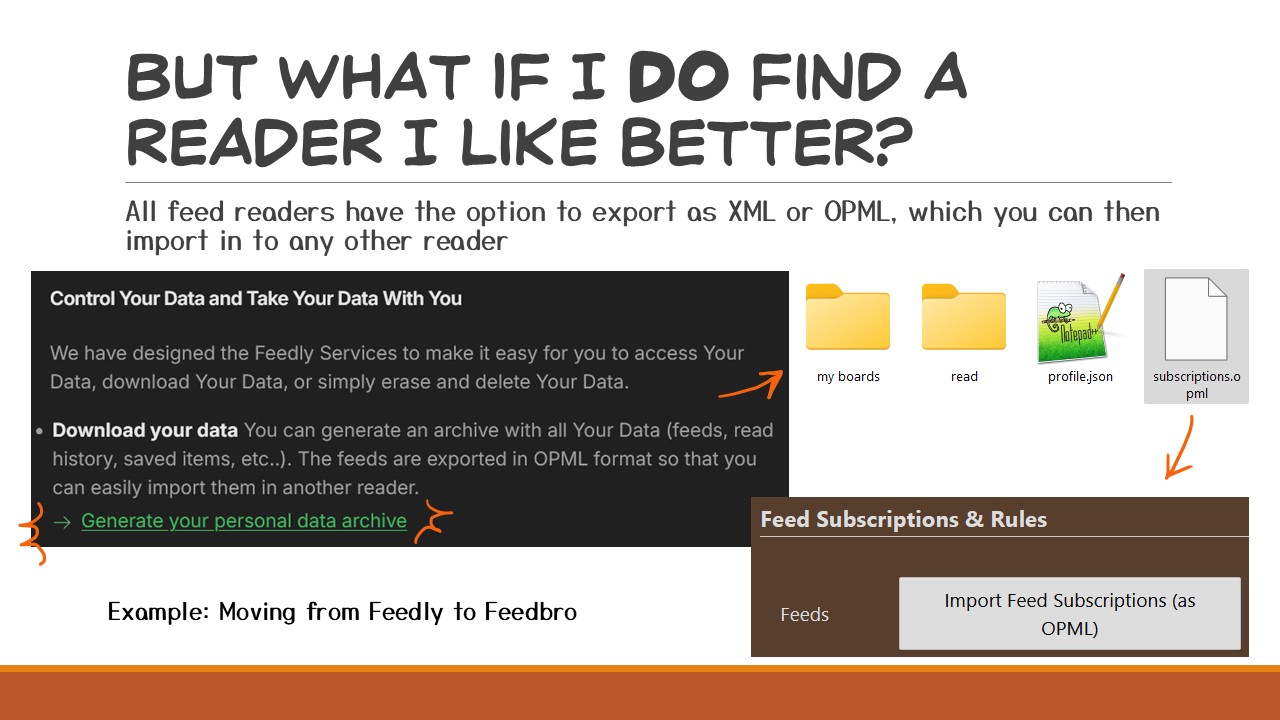
I know all of you are sick of moving social media sites every few years, but this is where RSS is SUPERIOR once again! Switching to another RSS reader is honestly so easy. Every reader gives you the option to export your feeds as either an XML or OPML (or both). Taking this file you can import all the feeds you follow to any other feed reader in a matter of seconds!
Here’s an example of the two steps it takes to move from Feedly to Feedbro, if I ever wanted to.
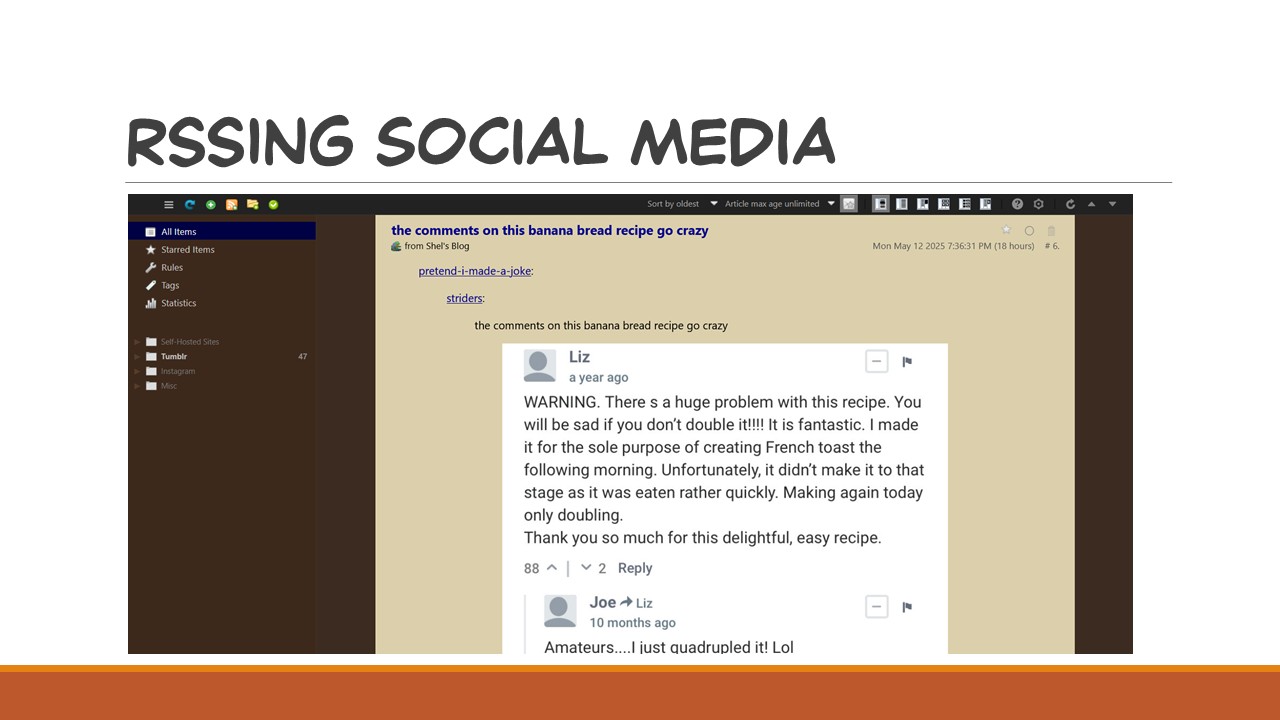
Like I mentioned before I do use two different feed readers. Feedly for webcomics and Feedbro for reading social media posts.
After the downfall of Twitter and folks were moving to so many different sites, I thought, could I make one big feed of all my friends’ posts without having to switch between tumblr, bluesky, and mastodon?
Almost every website has an RSS after all and this includes most social media sites.
I’d tried to use Feedly for this at first but it got in the way of how I use Feedly for reading Webcomics. My little red number was always in the 100s suddenly!
So I tried some readers out again and I landed on Feedbro for my social media needs. Feedbro is just browser extension, there’s no login, and it all runs off an OPML file which you can export at any time. It also doesn’t sync with my phone, which was perfect for me because it limits my social media scrolling to my computer. It’s very customizable in ways that I absolutely love! I made mine look like 2012 Tumblr which is really nostalgic for me and makes me feel like I’m back on the old web.
Y’all, I really like Feedbro.
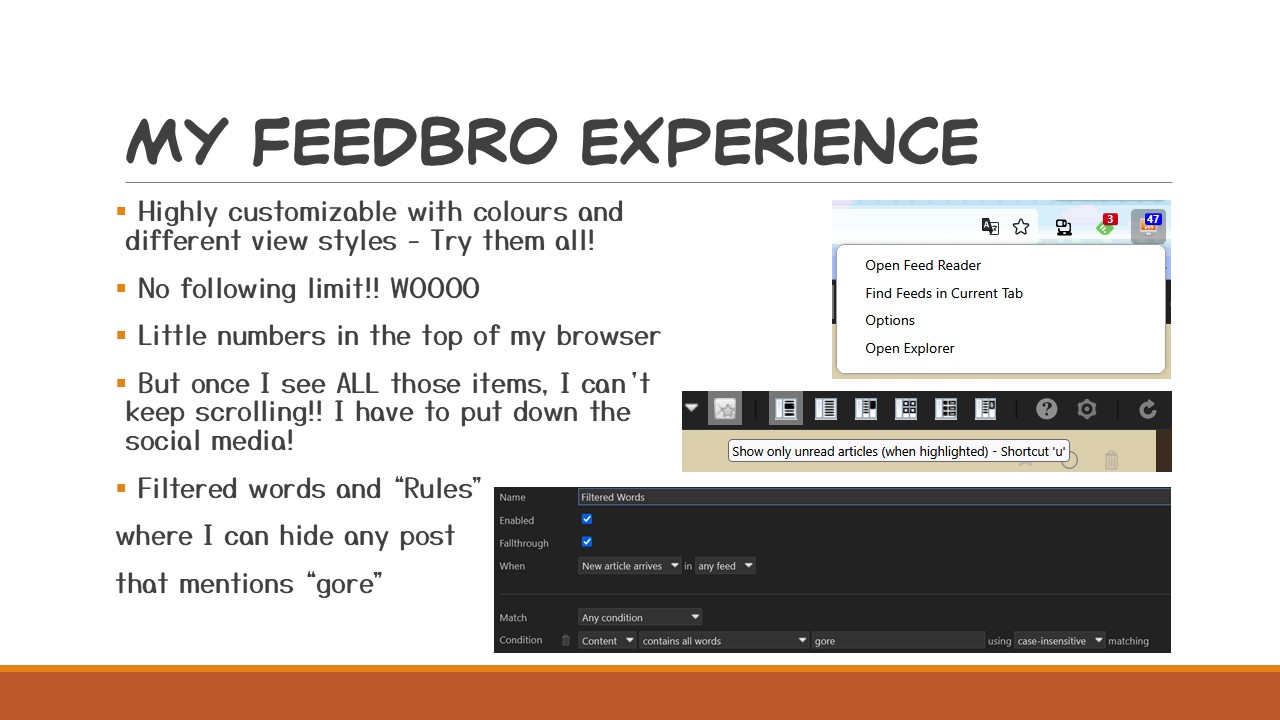
It has six view types, I personally like the 1st option which shows the entire post in a long scroll view (again like tumblr).
There’s no following limit, you can follow as many RSS feeds as you want, I’m at 210 feeds myself.
Similar to Feedly it also comes with a little number icon you can have in your browser bar that shows how many unread posts you have, but clicking on it doesn’t take you to the poster’s site — it takes you to your Feedbro feed. This is why I don’t use it for webcomics. Turning on the “Show only unread articles” option makes it so once I get to to the bottom of my feed, once that little number reaches 0, I’m done! I can’t keep scrolling so I HAVE to go to draw some comics instead!! Of course your feeds will update throughout the day so it is tempting to click any time any number shows up.
Lastly, I really like the way ‘Rules’ work which are also highly customizable, I can filter certain words either within a post, within a title, or a post-author and have Feedbro auto delete those which is nice for if I want to avoid posts from certain people or say, I’m a bit squeamish so I’ve filtered out any kind of ‘gore’.
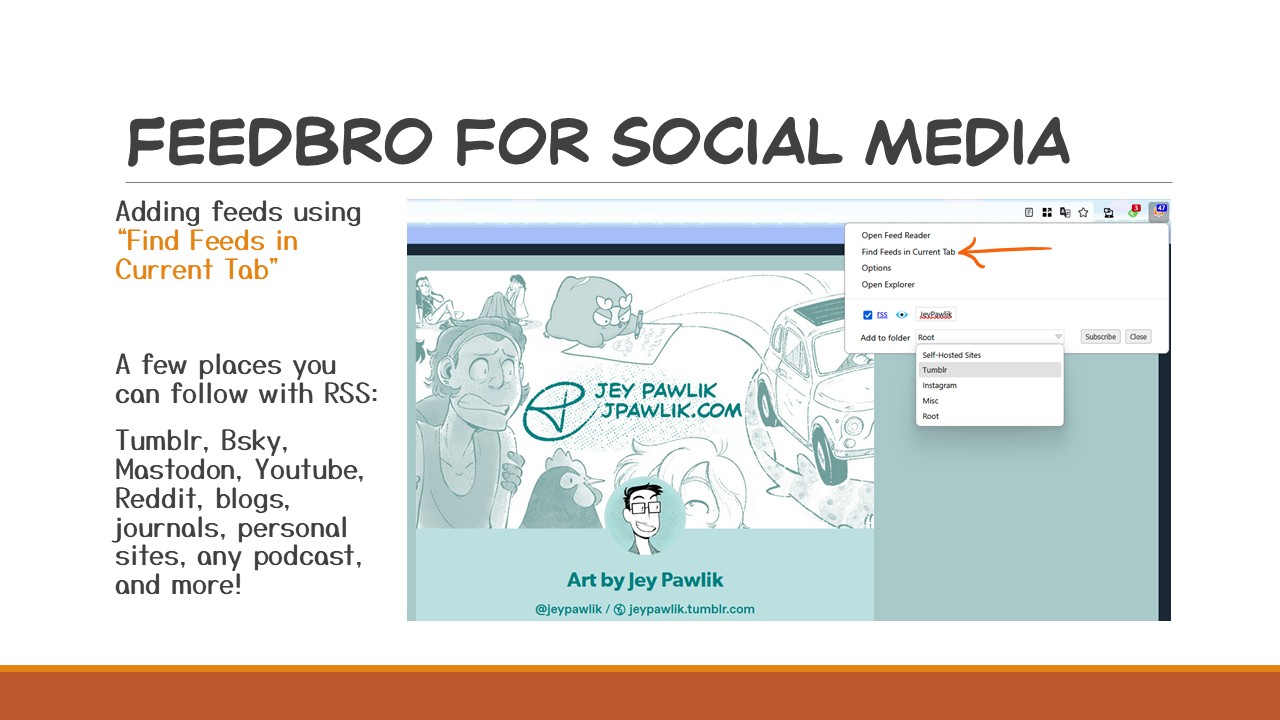
Not much is different than following webcomics here, I follow RSS feeds from Tumblr, Bluesky**, Mastodon, and artist’s websites and it collects all those posts into one big feed for me to read.
You’ll just be inputting that RSS URL into Feedbro, but Feedbro has a really cool feature where if you’re on, say, someone’s Tumblr — clicking on the browser icon in your toolbar, Feedbro can pull the feed for your right then and there using “Find Feeds in Current Tab”. Add it to a folder if you want and you’re done, this new feed can now be found when you open Feedbro.
When you follow a new feed, what I’ve found on Feedbro is that only the lastest 20 posts will appear in your feed, so you won’t be bogged down by the entire archive, don’t worry! This is also the case for following comics on Feedly, only a few recent posts will populate your reader.
Try out Feedbro’s “Find Feeds” option on any number of sites, like tumblr, bluesky**, mastodon, youtube, podcasts and y’know, most sites!
Now, I do also have an instagram folder in the slide here and it’s the only way I can see posts from instagram since I no longer have an account. Instagram doesn’t technically allow for RSS feeds but Feedbro tries to cobble one together for you if you try “Find Feeds in Current Tab”. Sometimes it works sometimes it doesn’t. And even then, the posts coming in from Instagram don’t always load in the feed, but Feedbro is trying it’s best!
**As of September 2025: Bluesky’s RSS feed is very barebones and doesn’t include images still
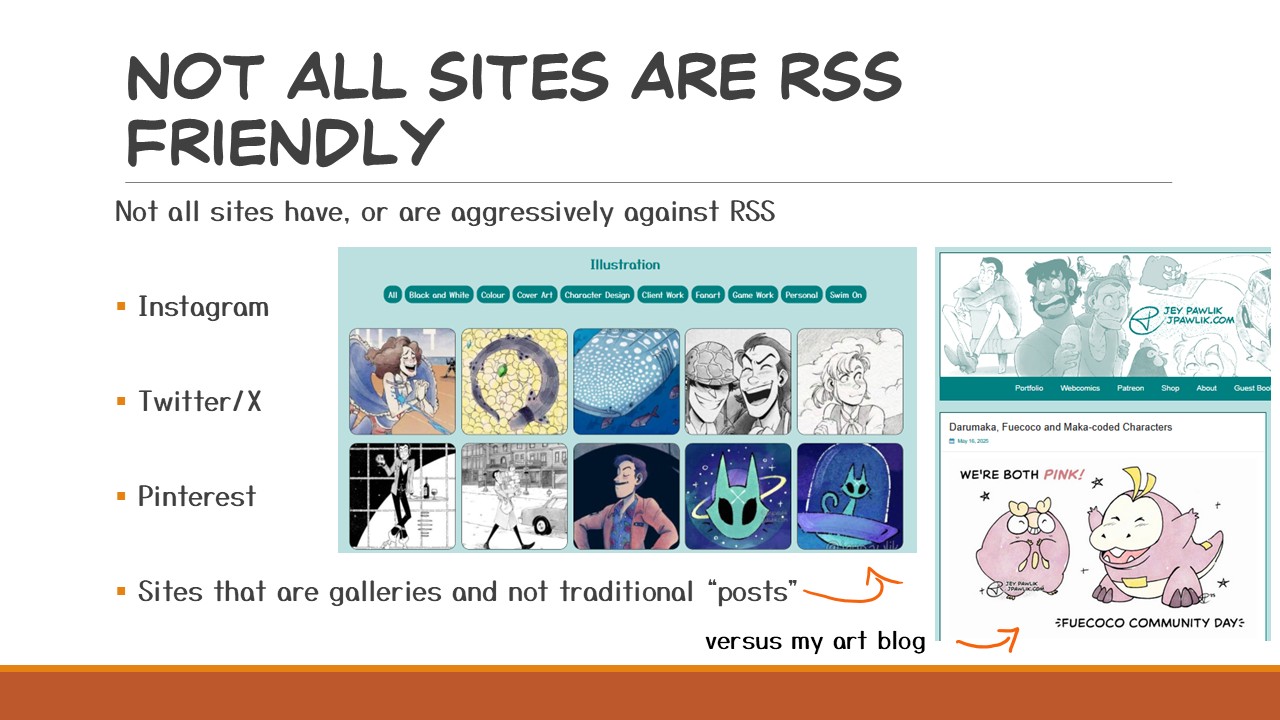
Which leads me to: Sites that don’t use RSS.
Most of the time if a site allows you to publish a post then it has an RSS feed, but some sites just don’t work that way or are aggressively against it.
Instagram is the best and biggest example for this, “BUT if you’re following folks on an RSS feed you won’t get ads, or posts from folks you don’t follow and we can’t allow that now can we?!” Twitter (or I mean X) has recently followed suit with this as well.
Galleries on sites also don’t work with RSS. When a gallery like this is updated the information is not sent to the RSS because it’s not a traditional post, so if you run a site be mindful of this. I have a gallery on my portfolio site for illustrations but I’m not worried about RSS on my portfolio, because I have RSS on my art blog instead, where every post on my art blog is a traditional post.
There are sometimes ways around this, like using Feedbro’s “find feeds” option, using RSS Bridge, or RSSHub to force an RSS for specific sites.
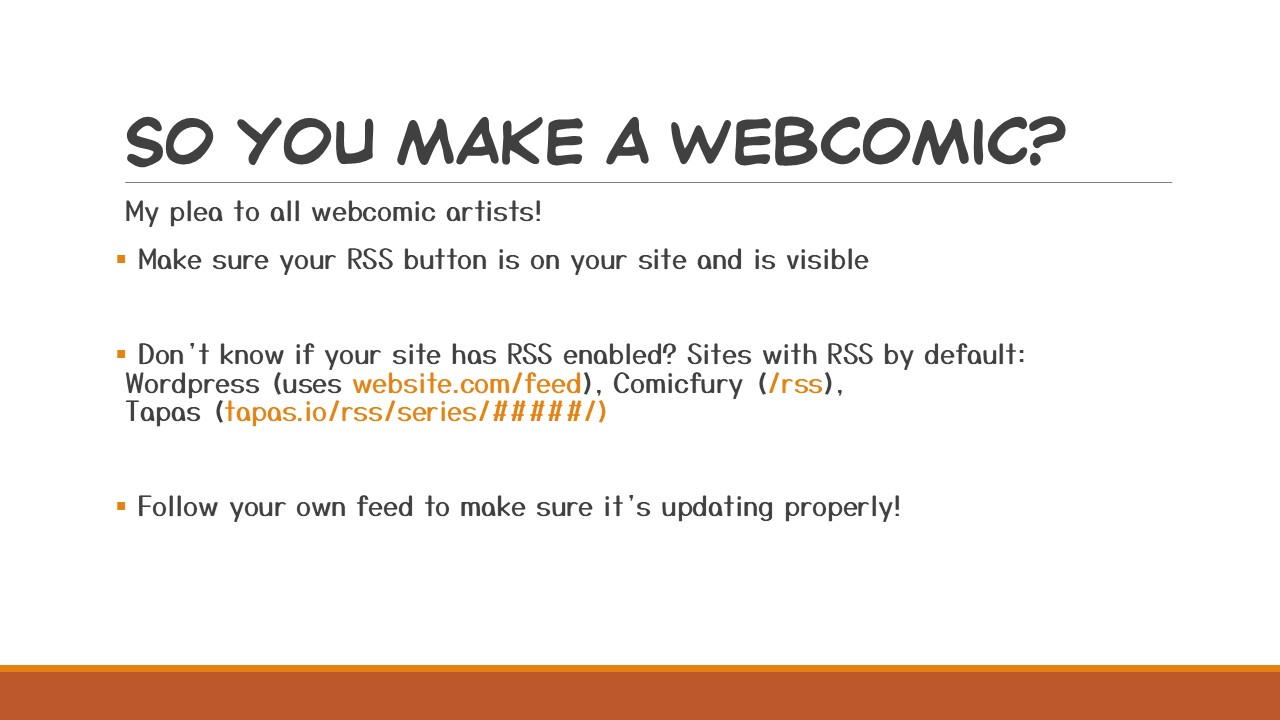
If you make and publish a webcomic, please please please have an RSS button somewhere on your site!
People do use RSS and you’ll be doing them a favour by having it loud and proud, but maybe you don’t know if you have an RSS? WordPress, Comicfury, and Tapas all have RSS by default. You may have to do the URL trick to see what URL your RSS is, and for convenience I’ve included the RSS URL structure for the sites I mentioned. WordPress uses /feed, Comicfury uses /RSS, and Tapas uses tapas.io/RSS/series/yourcomicID
Once you find it, I want you to follow your own feed! This ensures that you know it’s working properly. You don’t want a month of updates to fly by while your RSS was down, this means none of your readers got those updates! Follow it and try and get it fixed as soon as you can — though there’s not much that can go wrong luckily, I have had to contact my host a handful of times to fix some hosting issues which did effect my RSS but I follow all my own feeds so I know if they’ve gone down. It does take some time for feeds to update, so don’t worry if it’s been a few hours and your feed hasn’t updated.
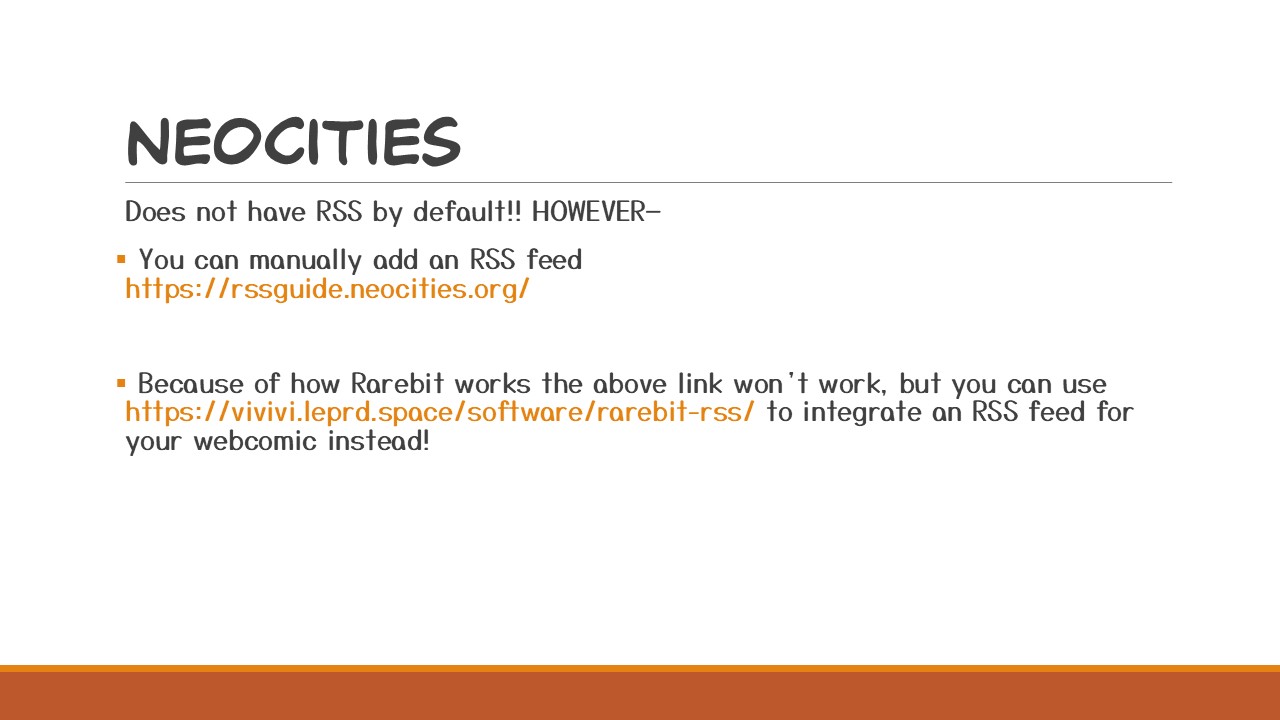
I personally don’t have a Neocities but I know a lot of folks who do AND post their webcomics through it using Rarebit, which is such a great free webcomics option AND it’ll get you familiar with a bit of coding.
However Neocities does not have RSS enabled by default. Never fear! You can manually add an RSS feed to your Neocities site using this guide at rssguide.neocities.org — and if you use Rarebit for your webcomic, while I believe the previous link only works for standard Neocities sites, you can integrate an RSS feed with Rarebit by following the guide by Vivivi at vivivi.leprd.space/software/rarebit-rss — there’s always an option if RSS isn’t available!
For other sites it could be plugins or add-ons but if your site has posts then it can have an RSS.
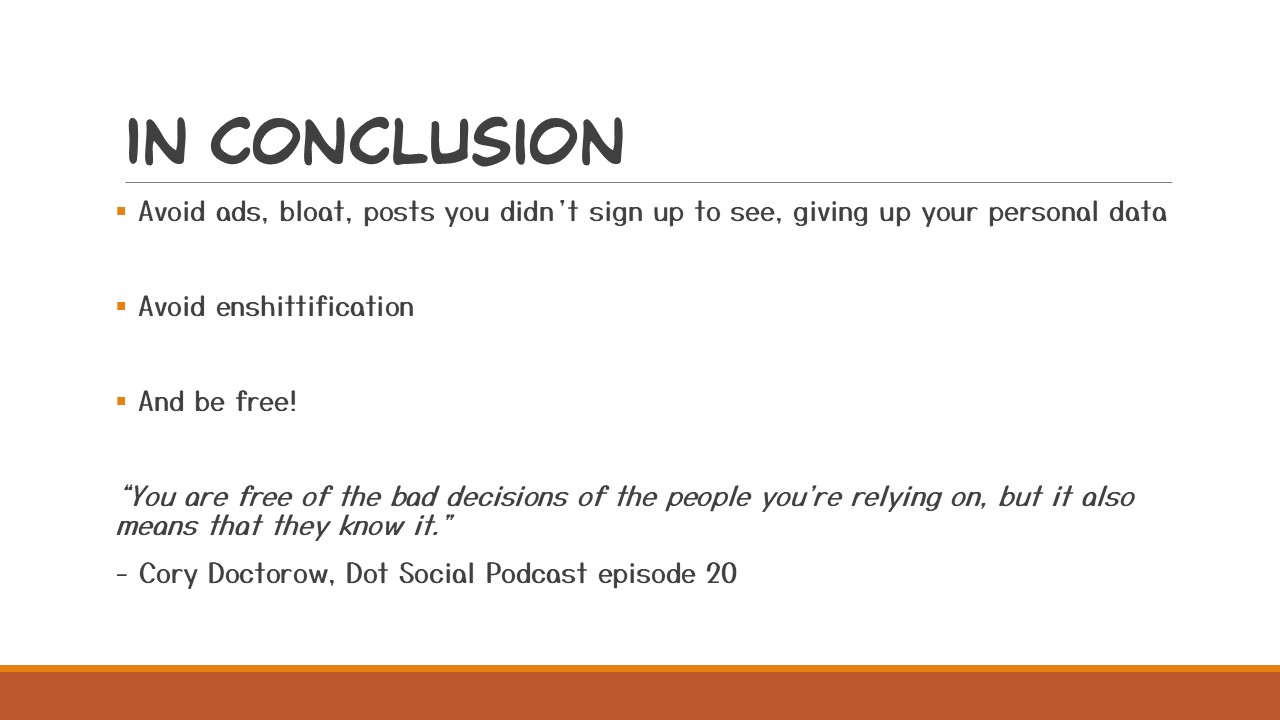
I hope I’ve convinced you how great RSS is, I really do!
It’s a really powerful tool where you are in complete control, avoiding ads, bloat, posts you didn’t sign up to see, and not to mention not giving your personal data away. Let’s all avoid enshittification together!
I recently listened to episode 20 of the Dot Social Podcast featuring Cory Doctorow speaking about RSS, which was a big help in writing this talk, other folks running NIF events have mentioned Cory already and his coining of the phrase “enshittification” and I sincerely believe RSS is the way out, I believe RSS can save us from that.
I’ll end off with a quote from the episode “You are free of the bad decisions of the people you’re relying on, but also it means that they know it.”
Thank you for reading! And a big thank you to the Cartoonist Coop for giving me this opportunity to chat about RSS to you all.
This talk was recorded and is be available on the Cartoonist Coop’s youtube.
If you have any questions about RSS feel free to comment below or shoot me an email for anything more in-depth at jey@topazcomics.com

Happy Webcomic Day!
I’ll be posting throughout the day on social media, but for you here’s the big full post.
Want to read some queer comics written and drawn by some queer folks for free?! I’m Jey Pawlik, and with my spouse Max Parker, we’ve got hundreds of pages in our archive, like the post-apocalyptic gay romance Dead City, the nonbinary autobio series Gender Slices, a 4-koma comedy comic about Darumaka and Lupin III fancomics.
Or see sketches, thumbnails, and pages 2 months early on Patreon
The Alola Darumaka Process
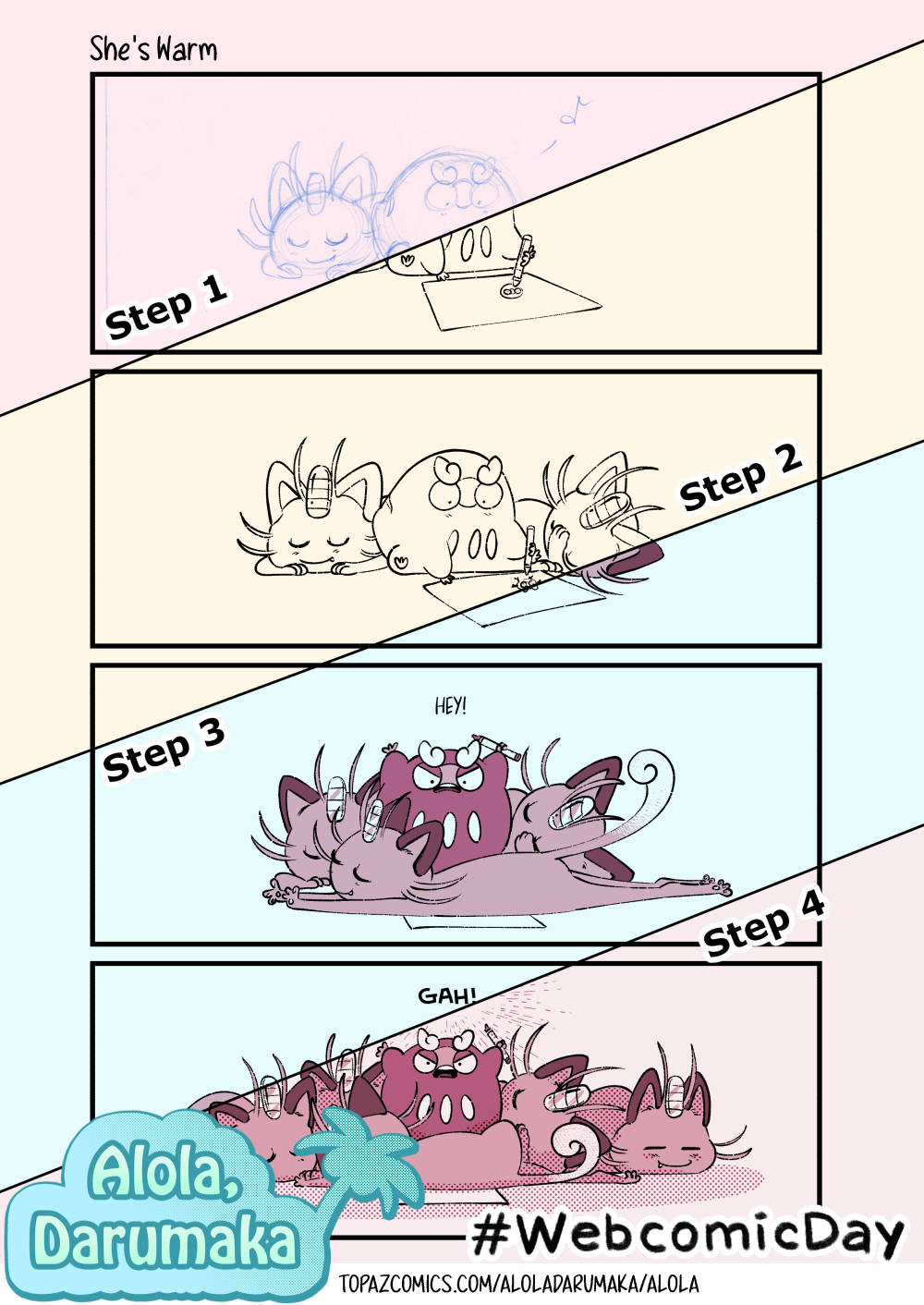
Here’s my process for Alola Darumaka using the ScreentonesCast template showing my traditional sketch, digital inks, colours, and halftone effects.
Dead City

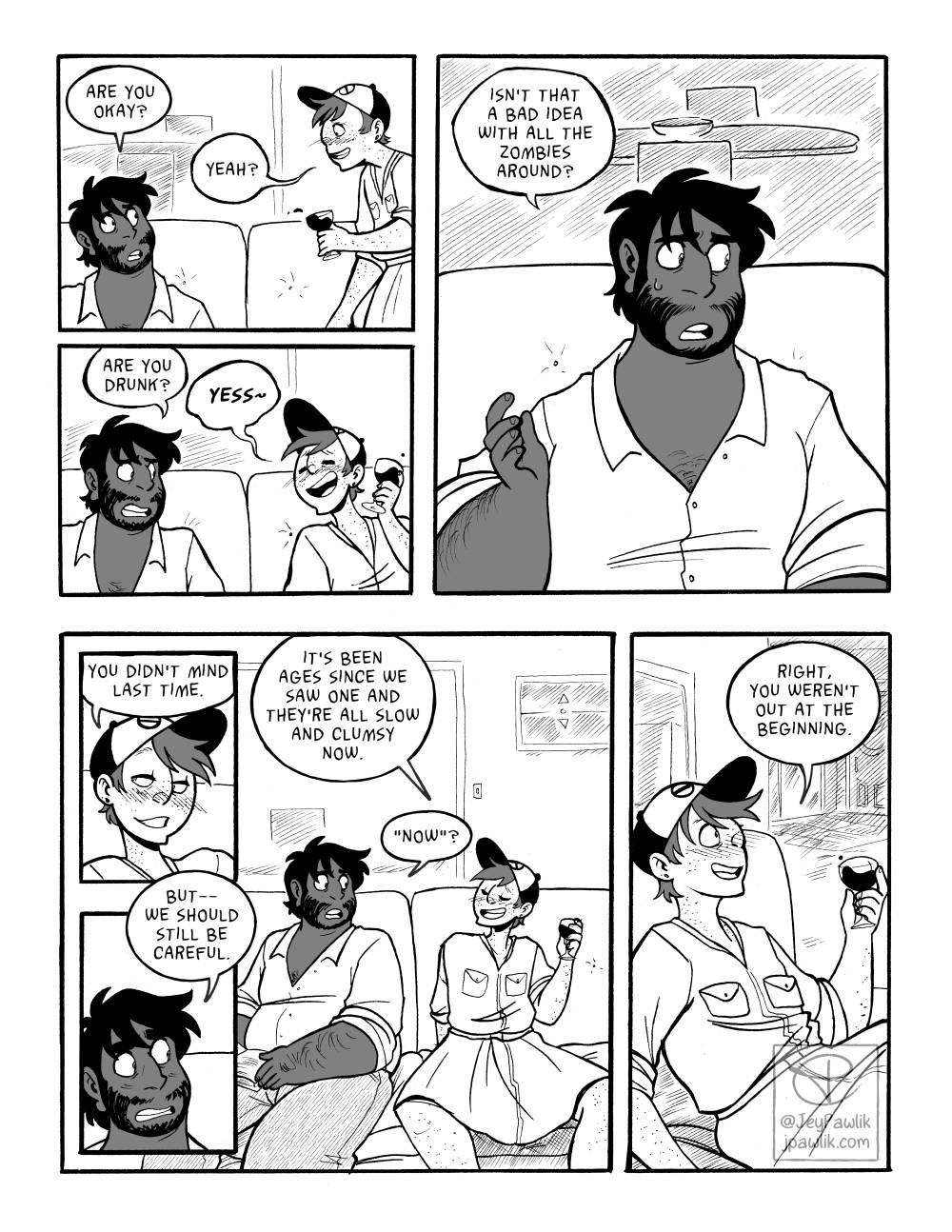


Dead City is a completed post-apocalypse gay romance comic that focuses more on survival and human connection than the zombie aspect of the genre. Written by Max, this was our first comic project that we started in 2013 and finished in 2020! It’s still available to read online, but a newer fancy version was made into a book last year.
https://topazcomics.com/deadcity/welcome
The Curtain Falls Process
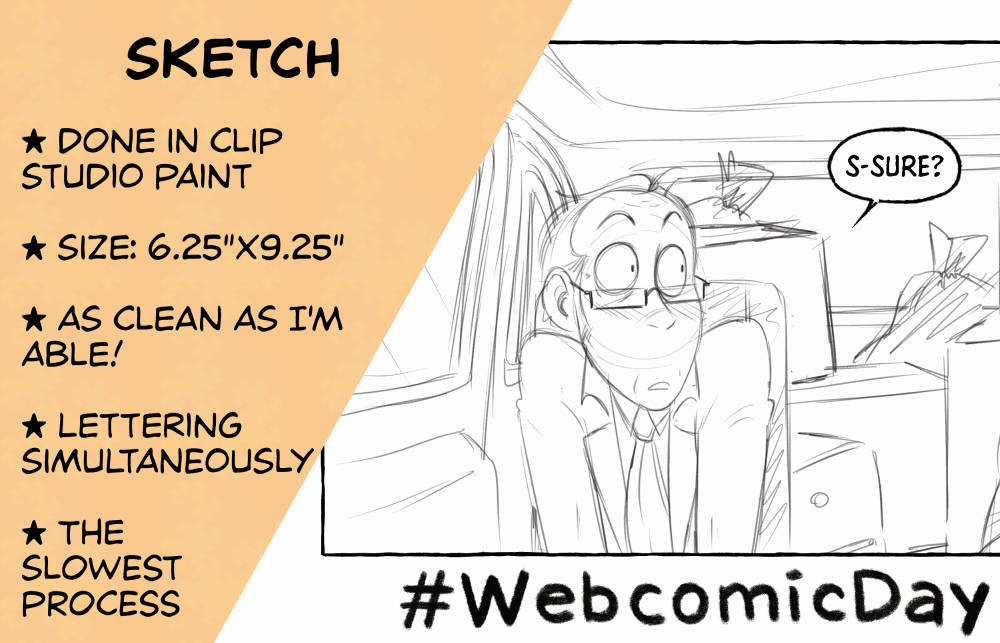
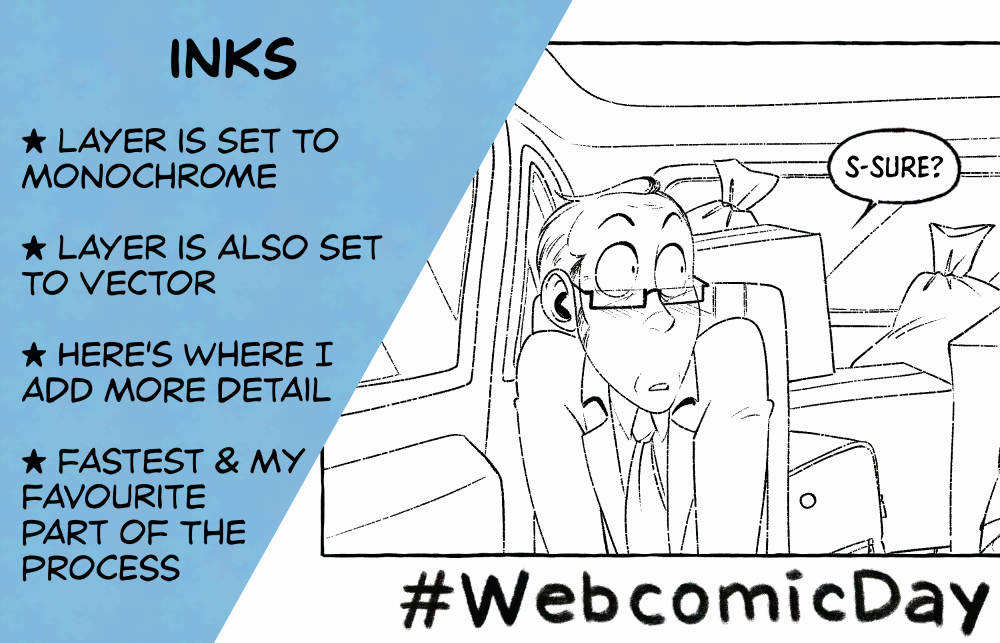
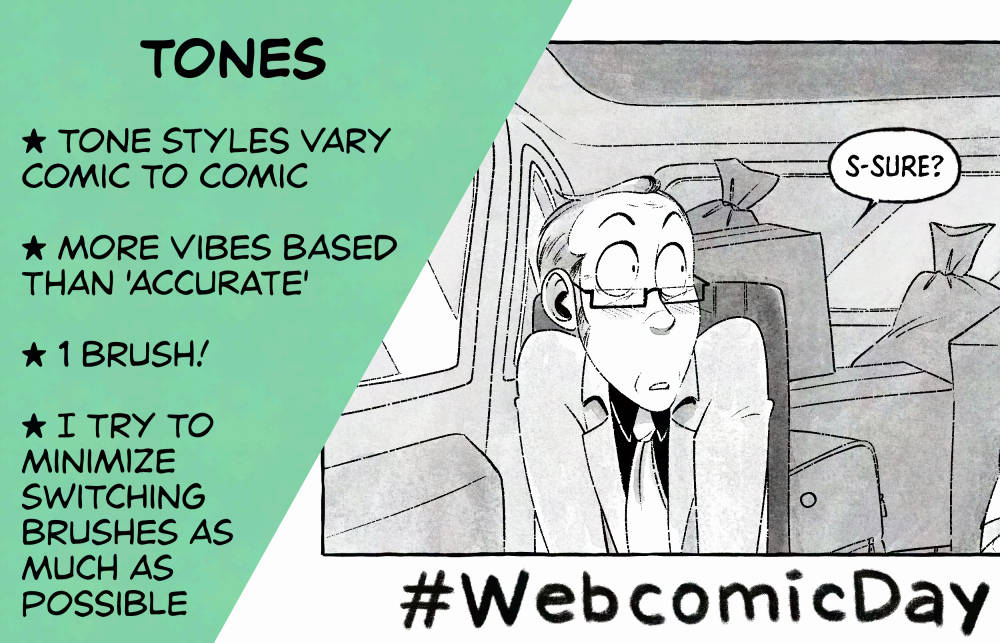
My Patreon exclusive comic “The Curtain Falls”, a 50 page Lupin III comic about Lupin in his 60s and coming to terms that nothing lasts forever. The comic is wrapping up THIS WEEK with printing and a digital PDF on the horizon, so I wanted to promo that today as well! Sign up on Patreon to read the whole comic!
Cohost Asks
For work, I go from 9am-5pm with a lunch at 12pm, Monday to Friday. I find that I work best on client projects during the day and I give myself that very clear cut-off point so I’m not overworking myself.
Buuuut, after making dinner, going on a walk, and settling on the couch for the night that’s when I work on personal art. So around 7pm-10pm.
I’ve been drawing steadily since I was 10 and once I started I just never stopped. I’ve got like three pivotal moments;
When I was 9 a teacher read The Hobbit to my class and I got really into it and started drawing scenes from the book, that teacher encouraged me to keep going and I felt like being an artist was something I could actually do.
Then I got really into Dragon Ball Z, so my drawings turned more towards anime and I began doing a ton of fanart. It was mostly just copying Toriyama’s illustrations though. My mom started encouraging me further and saying I should go to Sheridan College when I’m older (and I did!)
Comics took over once I got my first volume of Shonen Jump when I was 11 in 2001. That’s when I realised that “comic artist” was a job! It was such a monumental moment for me, after that all I wanted to do was draw comics.
Now I’m a professional, drawing both as a hobby and for my day job! I made it!
Ohhhhhboy, I have maybe 15 projects swirling around my head at any given time but I’ll stick to one for now; I’d like to do a NSFW webcomic with a really old OC of mine, Ulf.
I’m in the plotting stages right now so I haven’t actually done any pages for it yet (that counts for this question right?!) I’ve had this character for well over 10 years now and I’ve had this idea for a while, I just gotta do it!